
Inleiding
This manual provides detailed instructions for the installation, operation, and maintenance of your VTech VTCS6619 DECT 6.0 Expandable Speakerphone with Caller ID. Please read this manual thoroughly before using your new telephone system to ensure proper functionality and to take full advantage van sy kenmerke.
Pakketinhoud
Verifieer dat jou pakket die volgende items bevat:
- Cordless Phone with Caller ID/Call Waiting
- Telephone Base Unit
- Wisselstroomadapter
- Telefoon lyn koord
- Rechargeable Battery for Handset
- Handsetdeksel
Opstelling
Follow these steps to set up your VTech VTCS6619 telephone system.
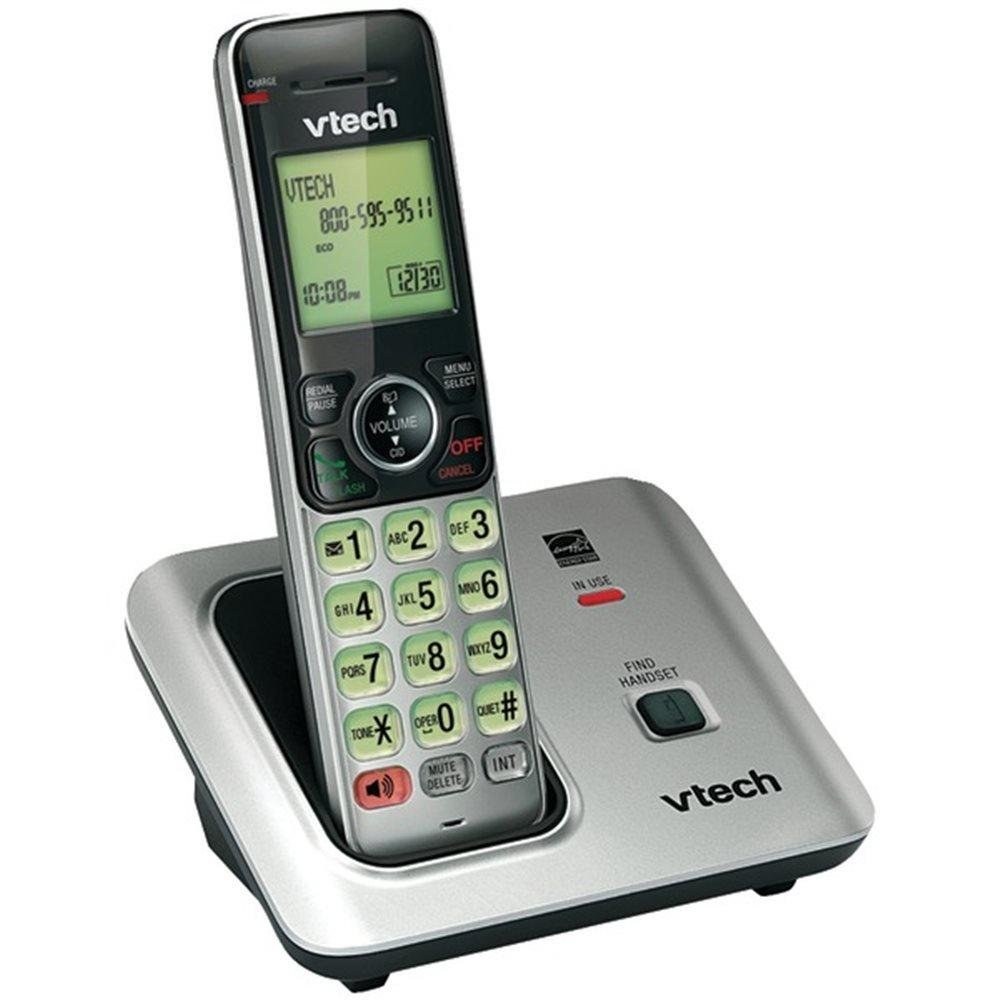
Image: The VTech VTCS6619 DECT 6.0 Cordless Speakerphone with Caller ID, showing the black handset and base unit.
1. Battery Installasie
- Maak die batterykompartement se deksel aan die agterkant van die selfoon oop.
- Koppel die batterypak se prop stewig aan die sok binne-in die kompartement.
- Plaas die batterypak met die etiket BO en steek die drade netjies binne-in die kompartement.
- Maak die batterykompartement se deksel toe.
2. Basiseenheidverbinding
- Plug the small end of the AC power adapter into the power jack on the back of the telephone base.
- Plug the large end of the AC power adapter into a wall outlet not controlled by a wall switch.
- Steek die een kant van die telefoonlynkoord in die TEL LINE-aansluiting aan die agterkant van die telefoonbasis.
- Steek die ander kant van die telefoonlynkoord in 'n telefoonmuuraansluiting.
3. Handset Charging
Once the battery is installed and the base unit is connected, place the handset on the telephone base. The CHARGE light on the handset will illuminate, indicating that the battery is charging. Allow the handset to charge for at least 10 hours before initial use.
Bedryfsinstruksies
This section details the basic functions and features of your VTech VTCS6619 phone.
Maak en Ontvang Oproepe
- Om 'n oproep te maak: Druk PRAAT / FLITS or SPREKER, skakel dan die telefoonnommer.
- Om 'n oproep te beantwoord: Druk as die telefoon lui PRAAT / FLITS or SPREKER.
- Om 'n oproep te beëindig: Druk AF/VEER or place the handset back on the telephone base.
Luidsprekerfunksie
Om die luidsprekerfoon tydens 'n oproep te aktiveer, druk die SPREKER knoppie. Druk dit weer om terug te skakel na die handset se oorfone.
Beller-ID en oproep wag
The phone displays the caller's name and number (if available) before you answer. If you subscribe to Call Waiting service, the phone will alert you to an incoming call while you are on another call. Press FLITS om tussen oproepe te wissel.
Konferensie-oproep
The VTech VTCS6619 supports 3-way conference calls. While on a call, you can add a third party by pressing the FLITS button, dialing the new number, and then pressing FLITS again to connect all parties.
Digitale antwoordstelsel
The integrated digital answering system records incoming messages when you are unavailable. Access messages by pressing the SPEEL/STOP button on the base or through the handset menu. Refer to the full user guide for detailed instructions on setting up your outgoing message and managing messages.
Onderhoud
Proper care ensures the longevity of your telephone system.
Skoonmaak
Clean the telephone and base unit with a soft, damp cloth. Do not use cleaning sprays or liquid cleaners, as they may damage the finish or electrical components.
Battery sorg
To maintain optimal battery performance, avoid exposing the handset to extreme temperatures. If the phone will not be used for an extended period, remove the battery to prevent leakage.
Probleemoplossing
If you experience any issues with your phone, refer to the following common problems and solutions:
| Probleem | Oplossing |
|---|---|
| Geen kiestoon nie | Ensure the telephone line cord is securely plugged into both the base unit and the wall jack. Check if the AC power adapter is properly connected. |
| Swak klankgehalte | Move the handset closer to the base unit. Check for interference from other electronic devices. Ensure the battery is fully charged. |
| Handset laai nie | Verify the handset is correctly placed on the base unit. Clean the charging contacts on both the handset and base with a dry cloth. Check the power connection to the base unit. |
| Beller-ID word nie vertoon nie | Ensure you have subscribed to Caller ID service from your telephone service provider. The feature may not work if the caller has blocked their number. |
Spesifikasies
- Handelsmerk: VTech
- Model: VTCS6619
- Telefoontipe: Koordloos
- Kleur: Swart
- Aantal batterye: 1 AAA-batterye benodig (ingesluit)
- Materiaal: Plastiek
- Kragbron: Battery aangedrewe
- Skakelaar tipe: Toon
- Itemafmetings (L x B x H): 6.9 x 5.2 x 6.7 duim
- Tipe antwoordstelsel: Digitaal
- Item gewig: 1 pond
- Versoenbare toestelle: VTech CS6619 handsets, basic answering machines
- Konferensie-oproepvermoë: 3-rigting
- Multilyn werking: Enkellyn-operasie
- Telefoon bystand Tyd: 7200 minute
- Beller-ID: Ja
Waarborg en Ondersteuning
Your VTech VTCS6619 telephone system is covered by a 1-jaar beperkte waarborg from the date of purchase. This warranty covers defects in material and workmanship under normal use. For warranty service or technical support, please refer to the contact information provided in your product packaging or visit the official VTech webwebwerf vir kliëntediensbesonderhede.
Bewaar asseblief u aankoopbewys as bewys van aankoop vir waarborgeise.