
Vivitek D519
Vivitek D519 3000 Lumen XGA HDMI Portable DLP Projector User Manual
Model: D519
1. Inleiding
The Vivitek D519 is a versatile and portable digital projector designed to deliver high-quality presentations and media experiences. Featuring 3000 lumens of brightness, XGA (1024x768) native resolution, and a 15,000:1 contrast ratio, it ensures clear and vibrant images. This manual will guide you through the setup, operation, and maintenance of your D519 projector.
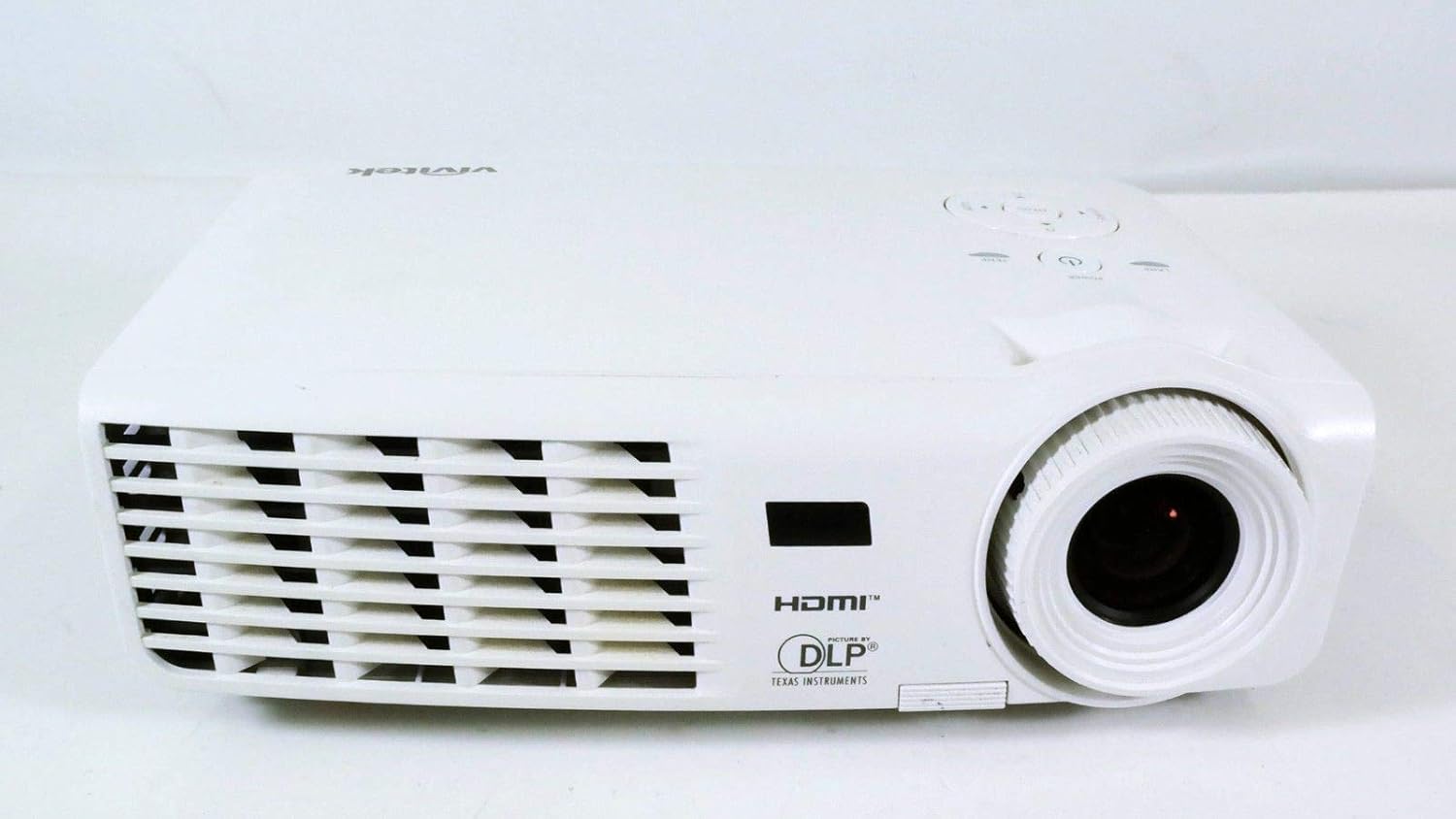
Figuur 1.1: Voorkant view of the Vivitek D519 Projector, showing the lens and ventilation.
2. Opstelling
2.1 Uitpak van die Projektor
Verwyder alle komponente versigtig uit die verpakking. Maak seker dat alle items wat hieronder gelys word, teenwoordig is:
- Vivitek D519 Projector
- AC kragkabel
- VGA-kabel
- Afstandsbediening (met batterye)
- Dratas
- User's Manual (CD)
- Lenspet
- Waarborgkaart
2.2 Fisiese Plasing
Place the projector on a stable, flat surface or mount it securely. Ensure adequate ventilation around the projector to prevent overheating. Avoid placing it near heat sources or in direct sunlight.
2.3 Koppel toestelle
The D519 offers various connectivity options. Connect your source device (e.g., laptop, DVD player) to the appropriate input port on the projector.

Figuur 2.1: Agter view of the Vivitek D519 Projector, highlighting the HDMI, VGA, S-Video, and audio input ports.
- HDMI: For high-definition digital video and audio. Connect an HDMI cable from your source to the projector's HDMI port.
- VGA: Vir analoog rekenaarvideo. Koppel 'n VGA-kabel vanaf jou rekenaar aan die projektor se VGA-poort.
- Oudio-in: For analog audio input. Connect audio cables to the L-AUDIO-R or AUDIO IN ports as needed.
- S-video: Vir standaarddefinisievideo.
- RS-232: For projector control via a computer or control system.
2.4 Aanskakel
Connect the AC power cord to the projector's power inlet and then to a power outlet. Press the Krag button on the projector's control panel or the remote control to turn on the projector. The power indicator light will illuminate.
3. Bediening van die Projektor
3.1 Beheerpaneel verbyview
The control panel on top of the projector allows for basic operation without the remote control.

Figuur 3.1: Bo view of the Vivitek D519 Projector, showing the control panel with power, menu, source, and navigation buttons.
- Kragknoppie: Skakel die projektor aan of af.
- Bron knoppie: Cycles through available input sources (HDMI, VGA, S-Video, etc.).
- Kieslys-knoppie: Accesses the on-screen display (OSD) menu for advanced settings.
- Navigasieknoppies (Op/Af/Links/Regs): Word gebruik om deur kieslysopsies te navigeer en instellings aan te pas.
- Outo -knoppie: Automatically adjusts the image for optimal display.
3.2 Aanpassing van die beeld
Once the projector is powered on and an input source is selected, you may need to adjust the image for clarity and size.
- Fokusring: Draai die fokusring om die lens om die beeld skerper te maak.
- Zoemring: Rotate the zoom ring to adjust the image size without moving the projector. The D519 has a 1.1:1 zoom ratio.
- Keystone-korreksie: If the image appears trapezoidal, use the keystone correction feature (accessible via the OSD menu) to square the image.
3.3 Gebruik van die skermkieslys (OSD)
Druk die Spyskaart button on the projector or remote to access the OSD. Use the navigation buttons to browse categories such as Picture, Display, Setup, and Information. Press Voer in (or the center button on the navigation pad) to select an option and adjust settings.
4. Onderhoud
4.1 Lamp Lewe en Vervanging
Die projektor lamp has a rated life of 4000 hours in Standard mode and up to 6000 hours in Economy mode. When the lamp die einde van sy lewe bereik, die lamp indicator light will illuminate, and a message may appear on screen. Refer to the detailed user manual (on CD) for lamp vervangingsinstruksies.
4.2 Skoonmaak van die Projektor
- Lens: Gebruik 'n sagte, pluisvrye lap wat spesifiek vir optiese lense ontwerp is. Moenie skuurmiddels gebruik nie.
- Casing: Vee die projektor c afasing met 'n sagte, damp lap. Vermy die gebruik van harde chemikalieë of oplosmiddels.
- Lugventilasies: Regularly check and clean the air vents to ensure proper airflow and prevent dust buildup, which can lead to overheating. Use a soft brush or compressed air.
5. Probleemoplossing
This section addresses common issues you might encounter with your Vivitek D519 projector.
| Probleem | Moontlike oorsaak | Oplossing |
|---|---|---|
| Geen beeld op die skerm nie | Power cable disconnected; Incorrect input source; Source device off. | Check power connection; Press 'Source' button to select correct input; Ensure source device is on. |
| Beeld is vaag | Lens buite fokus; Projektor te naby/ver van die skerm af. | Adjust the focus ring; Adjust projector distance or use zoom ring. |
| Beeld is trapesiumvormig | Projektor nie loodreg op die skerm nie. | Adjust keystone correction via OSD menu. |
| Projektor skakel onverwags af | Overheating; Lamp nader aan die einde van die lewe. | Ensure vents are clear; Allow projector to cool; Consider lamp replacement if indicator light is on. |
| Distorted image on startup | Software glitch; Connection issue. | Restart the projector; Check all cable connections; If persistent, consult Vivitek support. |
6. Spesifikasies
Key technical specifications for the Vivitek D519 Projector:
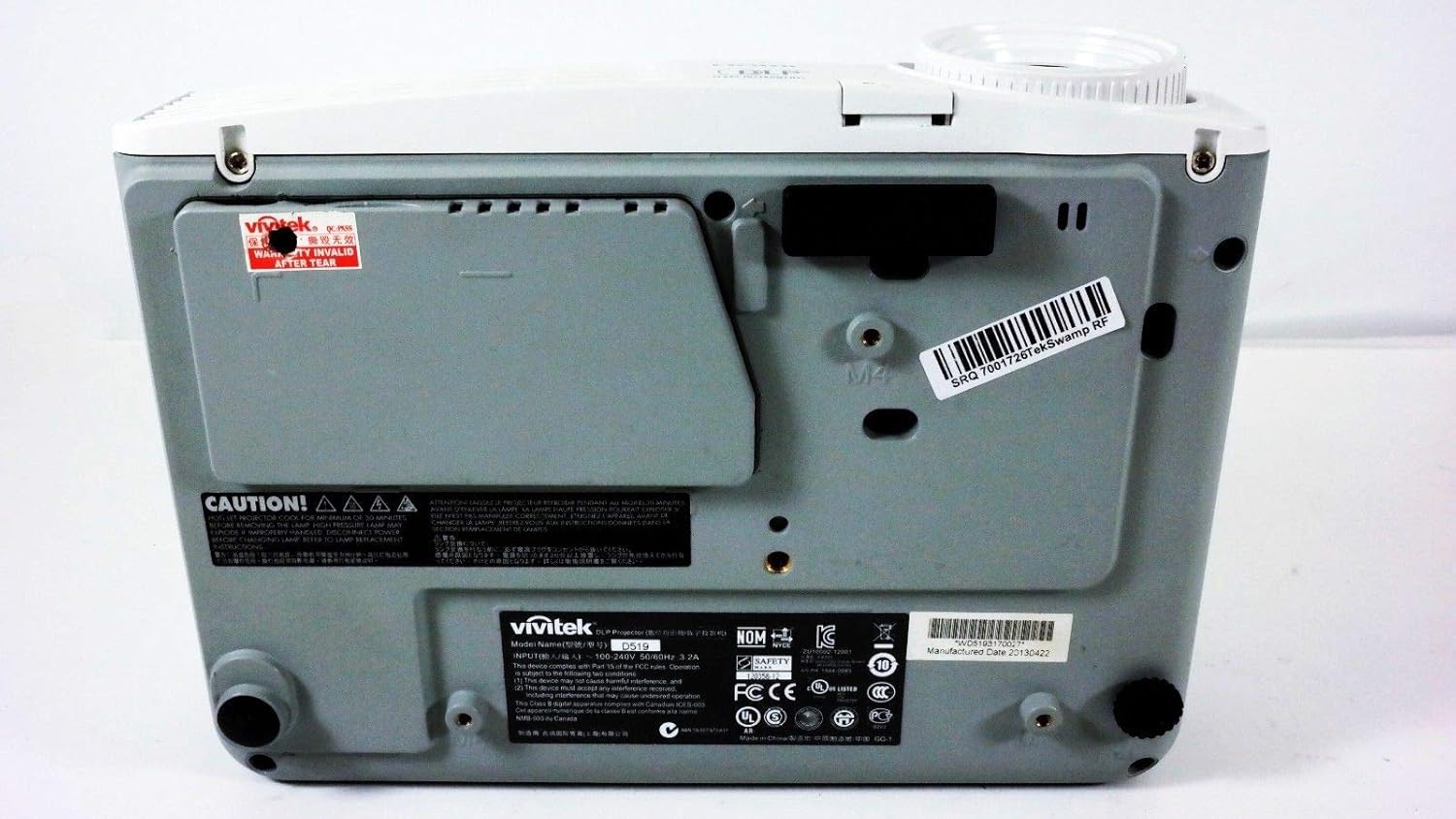
Figuur 6.1: Onder view of the Vivitek D519 Projector, showing the product label with model and serial information.
| Kenmerk | Detail |
|---|---|
| Modelnommer | DPU35-262VVUA |
| Vertoon tegnologie | Single 0.55” DLP Display Technology by Texas Instruments |
| Inheemse resolusie | XGA (1024 x 768) |
| Helderheid | 3000 Lumen |
| Kontrasverhouding | 15,000:1 |
| Lamp Lewe | 4000 hours (Standard) / 6000 hours (Economy) |
| Zoomverhouding | 1.1:1 (Manual Zoom and Focus) |
| Konnektiwiteit | HDMI v1.3, VGA, S-Video, L-Audio-R, Audio In, RS-232 |
| Spesiale kenmerke | HD Compatible, 3D-Ready, Screen Size compatibility: 40 - 300 inches |
| Produk afmetings | 7.5 x 10.3 x 3.1 duim |
| Item gewig | 4.35 pond |
7. Waarborg en Ondersteuning
Your Vivitek D519 projector comes with a limited warranty. Please refer to the Warranty Card included in your product packaging for detailed terms and conditions. For technical support, service, or warranty claims, please contact Vivitek customer service through their official webwebwerf of die kontakinligting wat in u waarborgdokumentasie verskaf word.
Dit word aanbeveel om jou produk aanlyn te registreer om opdaterings en ondersteuning te ontvang.