
Samyang 7616
Samyang 8mm f/3.5 UMC CS II Fisheye Lens for Canon User Manual
Detailed instructions for the setup, operation, and maintenance of your Samyang 8mm f/3.5 UMC CS II Fisheye Lens designed for Canon EF-S mount cameras.
1. Inleiding
The Samyang 8mm f/3.5 Aspherical IF MC Fisheye lens is an ultra-wide angle lens designed for cameras with APS-C or smaller sensors. Its optical construction features 10 elements in 7 groups, including an aspherical hybrid lens. The lens incorporates a multilayer anti-reflection coating (UMC) to enhance optical performance, minimize flare, and reduce ghosting. The aperture consists of six diaphragm blades and can be set to f/22 for extensive depth-of-field. A built-in lens hood helps prevent unwanted light. This lens provides a 180-degree diagonal field of view, offering unique photographic perspectives.
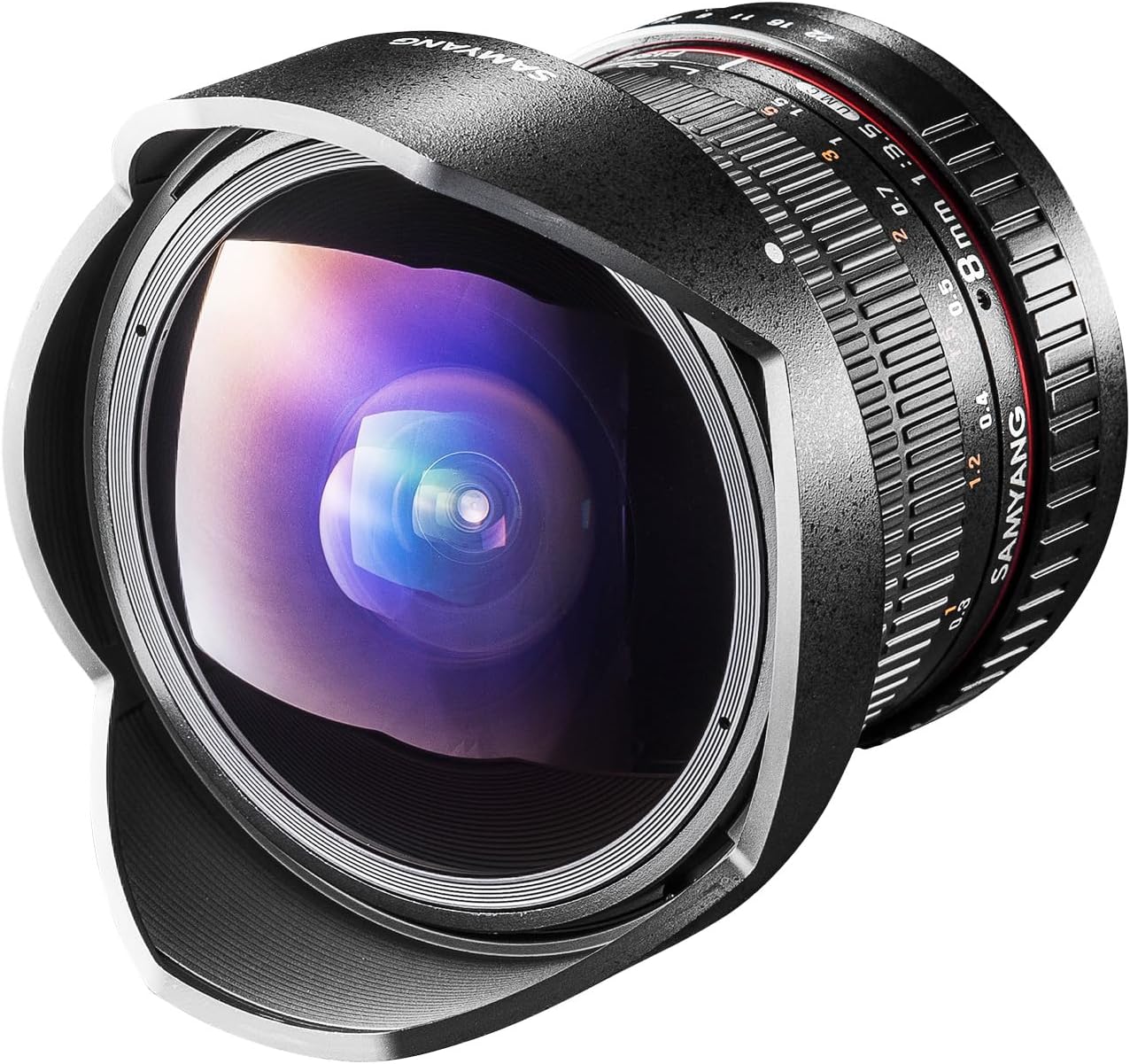
Beeld 1.1: Voorkant view of the Samyang 8mm f/3.5 UMC CS II Fisheye Lens with its integrated lens hood.
2. Pakketinhoud
Verifieer asseblief dat al die items wat hieronder gelys word, in u produkpakket ingesluit is:
- 1x Samyang 8mm f/3.5 UMC CS II Fisheye Lens (for Canon EF-S mount)
- 1x Front Lens Cap
- 1x Rear Lens Cap
- 1x Lens Pouch

Image 2.1: Illustration of the items included in the lens package, showing the lens, front and rear caps, and a lens pouch.
3. Sleutel kenmerke
- Ultra Wide-Angle Fisheye: 8mm focal length with an exaggerated perspective for dramatic photographic effects.
- Broad Field-of-View: Offers an ultra-wide 180° diagonal field-of-view, optimized for APS-C size image sensors.
- Gevorderde Optiese Ontwerp: Constructed with hybrid aspherical lenses to deliver sharp, well-defined images.
- UMC Coating: Features a multi-layer anti-reflection ultra multi-coating (UMC) to effectively minimize lens flare and ghosting.
- Close-Up Capability: Minimum focusing distance of 0.3 meters (12 inches) for enhanced close-up photography.
4. Aansoeke
The Samyang 8mm f/3.5 UMC CS II Fisheye Lens is particularly well-suited for capturing unique perspectives in various photographic genres due to its ultra-wide field of view and distinct fisheye effect. It excels in situations where a broad, immersive view verlang word.
- Argitektuur: Capture entire buildings or interior spaces with dramatic distortion.
- Artistic Photography: Create surreal and imaginative images with exaggerated perspectives.
- Aard: Encompass vast landscapes, forests, or celestial scenes.
- Reis: Document travel experiences with a wide, encompassing view of locations.
- Landskap: Ideal for expansive landscape shots, adding a creative twist.

Beeld 4.1: Voorbeeldamples of photographic applications for the Samyang 8mm Fisheye Lens, including architecture, nature, and travel scenes.
5. Opstelling en installering
5.1 Bevestiging van die lens
- Maak seker jou kamera is afgeskakel.
- Remove the rear lens cap from the Samyang 8mm lens and the body cap from your camera.
- Align the red index mark on the lens barrel with the corresponding red index mark on your camera's lens mount.
- Plaas die lens in die kameramontering en draai dit kloksgewys totdat dit in plek klik. Moenie die lens forseer nie.
5.2 Die lens losmaak
- Maak seker jou kamera is afgeskakel.
- While pressing the lens release button on your camera body, rotate the lens counter-clockwise until it stops.
- Carefully remove the lens from the camera mount.
- Attach the rear lens cap to the lens and the body cap to your camera to protect them from dust and damage.

Prent 5.1: Agter view of the Samyang 8mm lens, showing the Canon EF-S mount interface.
6. Bediening van die lens
6.1 Handmatige Fokus
This is a manual focus lens. To achieve sharp images, rotate the focus ring on the lens barrel until your subject appears clear in the viewfinder or on the camera's LCD screen. For fisheye lenses, a common technique is to set the focus to a specific distance (e.g., 1 meter or 3 feet) and rely on the extensive depth of field to keep most of the scene in focus, especially at smaller apertures.
6.2 Diafragmabeheer
The lens features an aperture ring on the barrel. To control the aperture directly from your camera body (if supported), set the lens's aperture ring to its smallest aperture value (f/22). This allows the camera to electronically control the aperture setting. If your camera does not support electronic aperture control with this lens, you will need to adjust the aperture manually using the ring on the lens.
6.3 Blootstellinginstellings
Since this is a manual lens, you may need to set your camera to Manual (M) or Aperture Priority (Av/A) mode. In Manual mode, you control both aperture (via the lens ring or camera, as described above) and shutter speed. In Aperture Priority mode, you set the aperture, and the camera automatically selects the appropriate shutter speed.
7. Onderhoud en versorging
7.1 Skoonmaak van die lens
- Gebruik 'n sagte, pluisvrye lap of 'n lensborsel om stof van die lensoppervlaktes te verwyder.
- Vir vlekke of vingerafdrukke, wend 'n klein hoeveelheid lensreinigingsoplossing aan op 'n skoon mikrofiberdoek en vee die lens saggies in 'n sirkelbeweging van die middel na buite af.
- Never use abrasive materials or harsh chemicals on the lens elements.
7.2 Berging
- Plaas altyd die voorste en agterste lensdoppies vas wanneer die lens nie gebruik word nie.
- Bêre die lens op 'n koel, droë plek, weg van direkte sonlig en uiterste temperature.
- Indien dit vir lang tydperke gestoor word, oorweeg die gebruik van 'n ontvochtigingsmiddel om skimmelgroei te voorkom.
8. Probleemoplossing
8.1 Images are blurry or out of focus
- Handmatige fokus: Ensure you are manually focusing correctly. Rotate the focus ring until your subject is sharp.
- Kamera-instellings: Verify your camera is set to a manual focus mode.
- Diepte van veld: At wider apertures (smaller f-numbers), the depth of field is shallower, requiring more precise focus. Try stopping down the aperture (larger f-number) to increase the depth of field.
8.2 Cannot control aperture from camera
- Aperture Ring Setting: For electronic aperture control via the camera, ensure the lens's aperture ring is set to its smallest aperture (f/22).
- Kameramodus: Ensure your camera is in an appropriate mode (e.g., Aperture Priority or Manual) that allows aperture control.
8.3 Dark or underexposed images
- Blootstellingsinstellings: As this is a manual lens, the camera may not automatically set the correct exposure. Adjust your camera's ISO, shutter speed, or aperture to achieve proper exposure.
- Meetmodus: Experiment with different metering modes on your camera.
9. Tegniese spesifikasies
| Kenmerk | Detail |
|---|---|
| Modelnommer | 7616 |
| Brandpuntsafstand | 8 mm |
| Maksimum diafragma | f/3.5 |
| Minimum diafragma | f/22 |
| Lenskonstruksie | 10 elements in 7 groups (1 Aspherical) |
| Hoek van View | 180 degrees (diagonal for APS-C) |
| Minimum fokusafstand | 0.3 m (12 duim) |
| Fokus Tipe | Handmatige fokus |
| Diafragma lemme | 6 |
| Filter deursnee | N/A (Built-in lens hood) |
| Dimensions (Max) | 75 x 74.8 mm (2.95 x 3.07 x 3.07 inches) |
| Gewig | 14.1 onse (ongeveer 400 g) |
| Versoenbare monterings | Canon EF-S |

Image 9.1: Technical specifications and dimensions of the Samyang 8mm f/3.5 UMC CS II Fisheye Lens.
10. Kameraversoenbaarheid
This lens is designed for Canon EF-S mount cameras with APS-C sensors. Compatible models include, but are not limited to:
- Canon EOS 850D
- Canon EOS 90D
- Canon EOS 250D
- Canon EOS 2000D
- Canon EOS 4000D
- Canon EOS 200D
- Canon EOS 77D
- Canon EOS 800D
- Canon EOS 1300D
- Canon EOS 80D
- Canon EOS 750D/EOS 760D

Image 10.1: Visual representation of compatible Canon EF-S mount cameras for the Samyang 8mm Fisheye Lens.
11. Waarborg en Ondersteuning
For information regarding warranty coverage, technical support, or service, please refer to the official Samyang website or contact your local authorized Samyang dealer. Keep your purchase receipt as proof of purchase for warranty claims.
Ask a question about this manual
Ask about setup, troubleshooting, compatibility, parts, safety, or missing instructions. Manuals+ will review the question and use this page’s manual context to help answer it.