
1. Inleiding
The JVC HAFR6B Gumy Plus Headphones are designed to provide clear audio with a comfortable in-ear fit. These wired headphones feature a built-in microphone for hands-free communication and sound isolation capabilities to enhance your listening experience. They are lightweight and compatible with various devices through a standard 3.5mm audio jack.
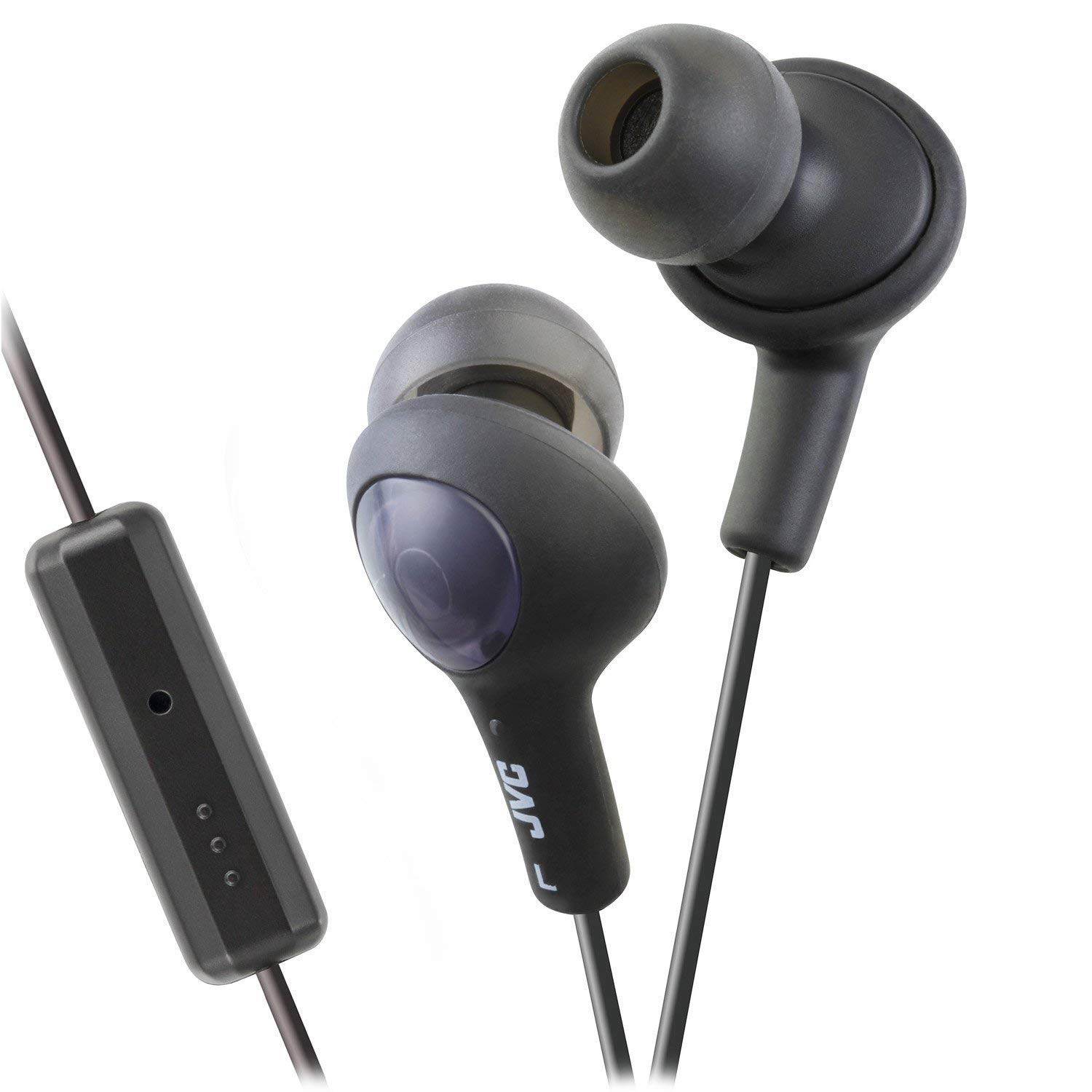
A pair of JVC HAFR6B Gumy Plus in-ear headphones in black, featuring a comfortable earbud design and an inline remote control.
An official product video demonstrating the features and design of the JVC Gumy Plus Headphones, including their hands-free calling, sound isolation, and comfortable fit.
2. Opstelling
To begin using your JVC HAFR6B Gumy Plus Headphones, follow these simple steps:
- Pak die oorfone uit: Verwyder die oorfone versigtig uit hul verpakking. Maak seker dat alle komponente teenwoordig is.
- Identify Left and Right Earbuds: The earbuds are marked with 'L' for left and 'R' for right. Insert them into the corresponding ears.
- Koppel aan jou toestel: Plug the 3.5mm audio jack into the headphone port of your smartphone, tablet, computer, or other compatible audio device.
- Pas vir gemak: The Gumy earbuds are designed for a comfortable and secure fit. Adjust their position in your ear until you achieve optimal comfort and sound isolation.

The retail packaging for JVC Gumy Plus Headphones, displaying the product inside a clear plastic blister pack with branding and key features highlighted.
3. Bedryfsinstruksies
The JVC HAFR6B Gumy Plus Headphones offer straightforward operation for audio playback and hands-free communication.
3.1 Oudio-terugspeel
- Begin terugspeel: Once connected to your device, begin playing audio from your preferred application.
- Volumebeheer: Use the volume controls on your connected device to adjust the audio level. The inline remote may also offer volume adjustment depending on your device's compatibility.
3.2 Hands-Free Calling and Controls
The inline remote control allows for convenient management of calls and music playback without needing to access your device directly.

Close-up view of the black inline remote control on the JVC Gumy Plus Headphones cable, showing the microphone and control buttons for managing calls and audio playback.
- Beantwoord/beëindig oproep: Druk die sentrale knoppie op die inlyn-afstandbeheerder een keer om 'n inkomende oproep te beantwoord of 'n aktiewe oproep te beëindig.
- Speel/onderbreek musiek: Press the central button once to play or pause music playback.
- Slaan oor: Druk die middelste knoppie twee keer vinnig om na die volgende snit oor te spring.
- Vorige snit: Druk die middelste knoppie drie keer vinnig om terug te gaan na die vorige snit.
- Mikrofoon: The built-in microphone allows for clear voice transmission during calls. Ensure the microphone is not obstructed.
- iOS Phone Control: These headphones support specific iOS phone control functionalities via the inline remote. Refer to your iOS device's manual for detailed compatibility and functions.
4. Onderhoud
Proper care and maintenance will extend the lifespan of your JVC HAFR6B Gumy Plus Headphones.
- Skoonmaak van oordopjes: Gently wipe the silicone ear tips with a soft, dry cloth. For deeper cleaning, remove the ear tips and wash them with mild soap and water, then ensure they are completely dry before reattaching.
- Cleaning the Cable and Remote: Gebruik 'n sagte, effens damp cloth to wipe the cable and inline remote. Avoid using harsh chemicals or abrasive materials.
- Berging: When not in use, store your headphones in a clean, dry place, away from direct sunlight and extreme temperatures. Avoid tangling the cable to prevent damage.
- Vermy vog: While the headphones may offer some water resistance, avoid prolonged exposure to water or high humidity.
5. Probleemoplossing
If you encounter issues with your JVC HAFR6B Gumy Plus Headphones, refer to the table below for common problems and solutions.
| Probleem | Moontlike oorsaak | Oplossing |
|---|---|---|
| Geen klank of lae volume nie | Incorrect connection, device volume too low, damaged cable/jack | Ensure 3.5mm jack is fully inserted. Increase device volume. Test with another device. Inspect cable for damage. |
| Swak klankgehalte (gedemp, verwring) | Dirty ear tips, improper fit, damaged audio source | Clean ear tips. Adjust earbud position for a secure fit. Test with another audio source. |
| Mikrofoon werk nie | Microphone obstructed, device settings, incompatible device | Ensure microphone is clear. Check microphone settings on your device. Confirm device supports inline microphone. |
| Afstandbeheerknoppies reageer nie | Incompatible device, software glitch | Ensure your device supports the remote functions. Restart your device. |
6. Spesifikasies
Detailed technical specifications for the JVC HAFR6B Gumy Plus Headphones:
| Kenmerk | Detail |
|---|---|
| Handelsmerk | JVC |
| Modelnommer | HAFR6B |
| Kleur | Olive Black |
| Oorplasing | In Oor |
| Vormfaktor | Binauraal |
| Impedansie | 16 ohm |
| Sensitiwiteit | 103 dB |
| Koptelefoonaansluiting | 3.5 mm-aansluiting |
| Verbindingstegnologie | Bedraad |
| Item gewig | 0.01 ons |
| Materiaal | Plastiek |
| Tipe beheer | Volume Control (via inline remote) |
| Geraasbeheer | Klankisolasie |
| Bykomende kenmerke | Built-in Microphone, iOS Phone Control |
7. Waarborg en Ondersteuning
For warranty information and technical support regarding your JVC HAFR6B Gumy Plus Headphones, please contact the manufacturer directly.
You can find more information and contact details by visiting the official JVC store: