
1. Inleiding
This manual provides instructions for the setup, operation, and maintenance of your ViewSonic VX2770SMH-LED 27-inch IPS 1080p Frameless LED Monitor. This monitor features a sleek design, Full HD 1920x1080 resolution, and an IPS panel for wide viewing angles and accurate color reproduction. It includes HDMI, DVI, and VGA inputs, along with integrated speakers.
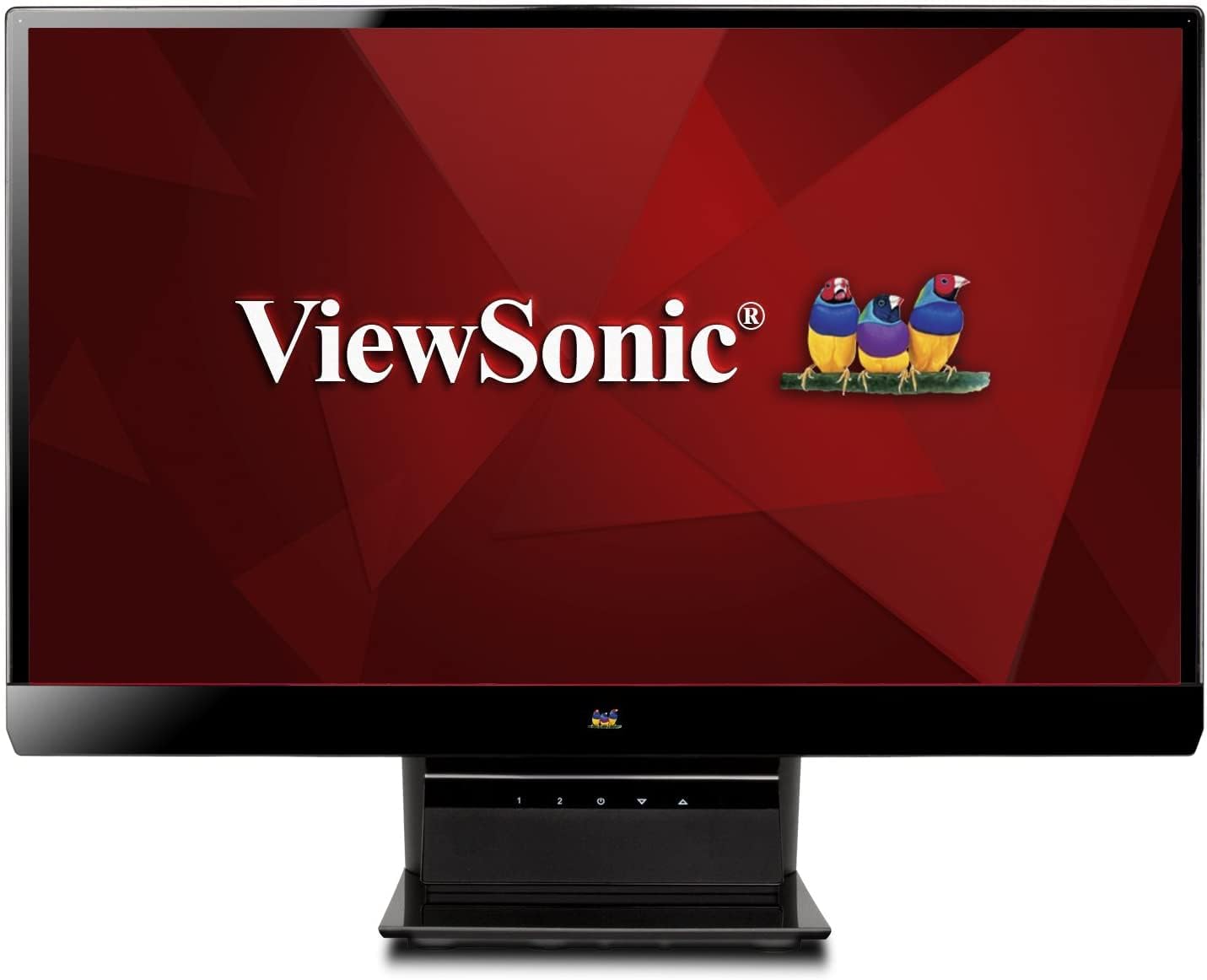
Figuur 1: ViewSonic VX2770SMH-LED 27-inch monitor displaying a tropical beach scene.
2. Pakketinhoud
Verifieer dat alle items in u produkpakket teenwoordig is:
- VX2770Smh-LED display
- Kragkabel
- AC/DC adapter
- VGA kabel
- HDMI kabel
- Vinnige Begingids
- ViewSonic Wizard CD
3. Opstelling
Volg hierdie stappe om jou monitor op te stel:
- Stel die staander saam: Carefully attach the monitor panel to the stand base according to the Quick Start Guide. Ensure it is securely fastened.
- Koppel krag: Connect the AC/DC adapter to the monitor's power input, then plug the power cable into the adapter and a power outlet.
- Koppel videokabel: Connect one end of the appropriate video cable (HDMI, DVI, or VGA) to the corresponding port on the back of the monitor and the other end to your computer's video output port.
- Krag aan: Druk die aan/uit-knoppie op die monitor om dit aan te skakel.

Figuur 2: Agter view of the monitor, illustrating the stand attachment area and overall design.
4. Bedien die monitor
The monitor features capacitive control buttons located on the stand for easy access to settings and power functions.

Figuur 3: Voorkant view of the monitor, showing the control buttons on the stand.
Krag aan/af
Press the power button (usually indicated by a power symbol) to turn the monitor on or off.
On-Screen Display (OSD)-kieslys
Use the control buttons to navigate the OSD menu. This menu allows you to adjust various display settings such as brightness, contrast, color temperature, input source, and more. Refer to the digital manual on the ViewSonic Wizard CD for detailed OSD navigation.
5. Konnektiwiteit
Die ViewSonic VX2770SMH-LED monitor offers multiple input options for versatile connectivity:
- HDMI: Vir hoëdefinisie digitale video en klank.
- DVI-D: For digital video input.
- VGA: Vir analoog video-invoer.
The monitor also features integrated speakers with SRS Premium Sound for audio output.

Figuur 4: Close-up view of the HDMI, DVI, and VGA input ports on the monitor's rear panel.
Video 1: Official product video demonstrating the features and design of the ViewSonic VX2770SMH-LED monitor, including its frameless design, IPS panel technology, connectivity options, and energy efficiency.
6. Vertoonkenmerke
- IPS Paneel Tegnologie: Provides consistent and accurate colors with wide 178/178-degree viewing angles, ensuring clear images from nearly any perspective.
- Full HD 1080p-resolusie: Delivers sharp and detailed images (1920x1080) for an enhanced viewondervinding.
- Raamlose ontwerp: The ultra-thin bezel creates a seamless visual experience, ideal for multi-monitor setups.
- MEGA Dynamic Contrast Ratio: A 30,000,000:1 dynamic contrast ratio enhances image depth and detail.
- LED Agterlig: Energy-efficient LED backlighting contributes to lower power consumption.
- Eko-modus: Further reduces power consumption and extends the monitor's lifespan.
- sRGB Color Correction: Ensures accurate color reproduction for various applications.
7. Onderhoud
Om die lang lewensduur en optimale werkverrigting van u monitor te verseker, volg hierdie onderhoudsriglyne:
- Skoonmaak van die skerm: Vee die skerm liggies af met 'n sagte, pluisvrye lap. Vir hardnekkige merke, vee liggiesampMaak die lap skoon met water of 'n sagte, nie-skurende skermreiniger. Vermy dit om vloeistof direk op die skerm te spuit.
- Maak die C skoonasing: Gebruik 'n sagte, droë lap om die monitor se ... skoon te maak.asing.
- Ventilasie: Maak seker dat die monitor se ventilasie-openinge nie geblokkeer is om oorverhitting te voorkom nie.
- Skakel af wanneer dit nie gebruik word nie: Turn off the monitor when not in use to save energy and prolong its life.
8. Probleemoplossing
Indien u probleme met u monitor ondervind, raadpleeg die volgende algemene stappe vir probleemoplossing:
- Geen krag: Check if the power cable and AC/DC adapter are securely connected to the monitor and a working power outlet.
- Geen sein: Verify that the video cable is correctly connected to both the monitor and your computer. Ensure the correct input source is selected via the OSD menu.
- Beeldprobleme (vaag, verwring, verkeerde kleure): Adjust the display settings through the OSD menu. Ensure your computer's display resolution is set to the monitor's native resolution (1920x1080).
- Geen klank: Check the audio cable connection (if using VGA) or ensure HDMI audio is selected. Adjust the volume settings on both the monitor and your computer.
For more detailed troubleshooting, consult the digital manual on the ViewSonic Wizard CD.
9. Spesifikasies
| Kenmerk | Spesifikasie |
|---|---|
| Vertoongrootte van die staande skerm | 27 duim |
| Skermresolusie | 1920x1080 |
| Maksimum skermresolusie | 1920 x 1080 |
| Reeks | Viewsonic VX2770SMH-LED |
| Item model nommer | VX2770SMH-LED |
| Item gewig | 11 pond |
| Produk afmetings | 7.6 x 24.5 x 18.1 duim |
| Kleur | Swart |
| Skerm grootte | 27 duim |
| Resolusie | FHD 1080p |
| Aspekverhouding | 1.78:1 |
| Beskrywing van die skermoppervlak | Glans |

Figuur 5: Monitor afmetings vir die beplanning van jou werkruimte.
10. Waarborg en Ondersteuning
Hierdie ViewSonic monitor is covered by a 3 jaar beperkte waarborg. For warranty claims or technical support, please refer to the contact information provided in your Quick Start Guide or visit the official ViewSonic-ondersteuning webwebwerf.