
Skerp RRMCGA535WJSA
Sharp Aquos LCD TV Remote Control Instruction Manual
Model: RRMCGA535WJSA
Handelsmerk: Sharp
Inleiding
This manual provides comprehensive instructions for the operation and maintenance of your new Sharp Aquos LCD TV Remote Control, model RRMCGA535WJSA. This genuine Sharp remote transmitter is designed to provide seamless control over your compatible Sharp Aquos LCD TV models. Please read this manual thoroughly before use to ensure proper functionality and to maximize your viewondervinding.
Veiligheidsinligting
Neem asseblief die volgende veiligheidsmaatreëls in ag:
- Moenie die afstandbeheerder aan direkte sonlig, hoë humiditeit of uiterste temperature blootstel nie.
- Vermy om die afstandbeheerder te laat val of dit aan harde impakte bloot te stel.
- Do not attempt to disassemble or modify the remote control. This may void the warranty and cause damage.
- Hou batterye buite bereik van kinders. Indien ingesluk, soek onmiddellike mediese hulp.
- Gooi gebruikte batterye weg volgens plaaslike regulasies. Moenie verbrand nie.
Pakketinhoud
Verifieer dat alle items in die pakket teenwoordig is:
- Sharp Aquos LCD TV Remote Control (Model: RRMCGA535WJSA)
- Instructiehandleiding (hierdie dokument)
Let wel: Batterye is gewoonlik nie ingesluit nie en moet afsonderlik aangekoop word.
Produk verbyview
Familiarize yourself with the buttons and features of your remote control.

Figuur 1: Voorkant View afstandbeheer
This image displays the front of the Sharp Aquos remote control, showing all primary buttons including power, input selection, channel, volume, numeric keypad, and navigation controls. The Sharp and Aquos logos are visible at the bottom.
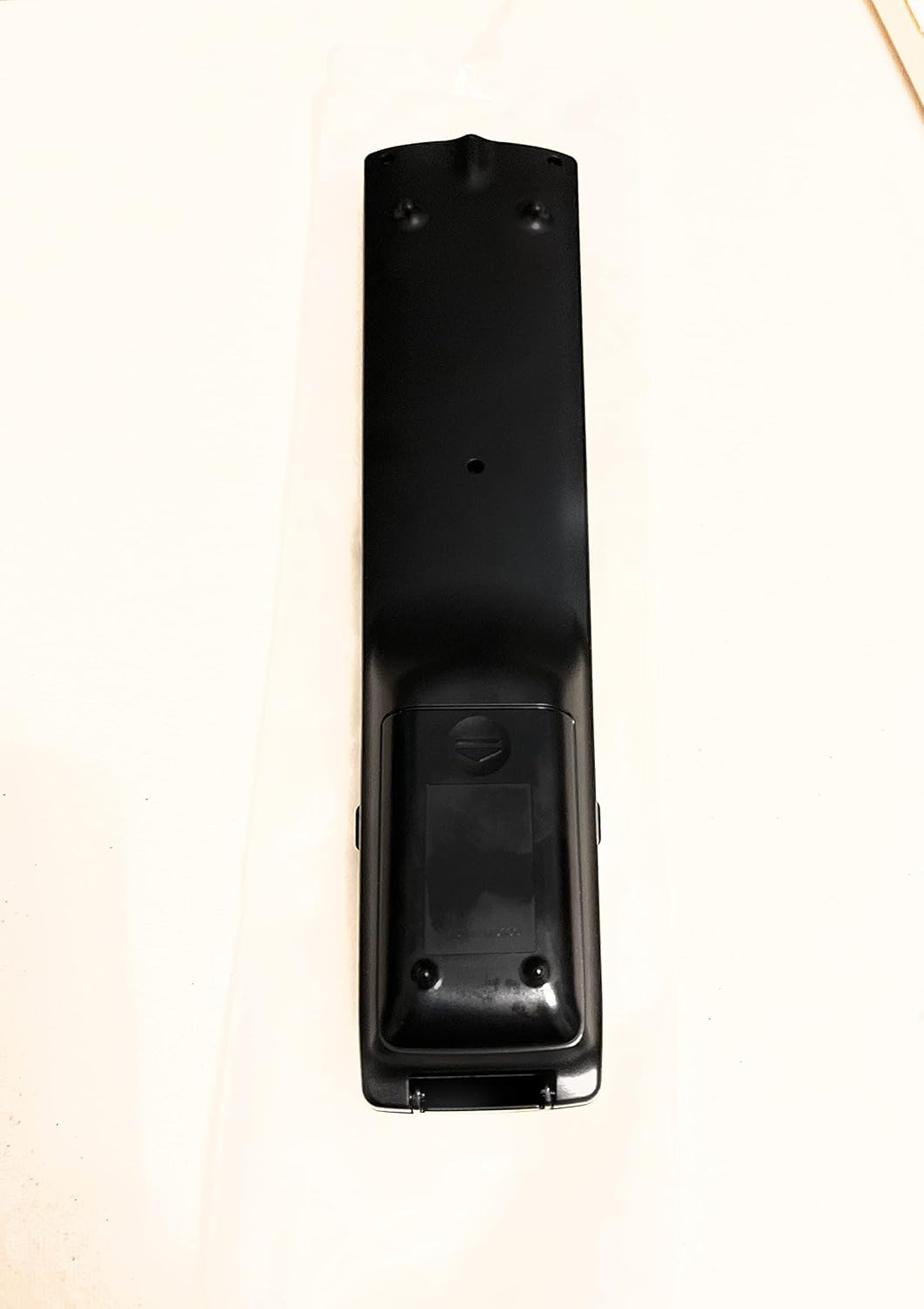
Figuur 2: Terug View afstandbeheer
This image shows the rear side of the Sharp Aquos remote control, highlighting the smooth, ergonomic design and the battery compartment cover.

Figure 3: Remote Control with Battery Compartment Open
This image illustrates the Sharp Aquos remote control with its battery compartment cover slid open, revealing the space for battery insertion.

Figure 4: Close-up of Hidden Panel
This close-up image shows the lower section of the Sharp Aquos remote control with its hinged panel opened, revealing additional function buttons such as SLEEP, AUDIO, AV MODE, and CC (Closed Caption).
Knoppie funksies:
| Knoppie | Funksie |
|---|---|
| KRAG | Skakel die TV aan of af. |
| INSET / BRON | Kies die invoerbron (bv. HDMI, AV, Komponent). |
| CH +/- | Verander die TV-kanaal op of af. |
| VOL +/- | Pas die volumevlak aan. |
| DEM | Demp of ontdemp die TV-klank. |
| SPYSKAART | Opens the TV's on-screen menu. |
| ENTER | Bevestig keuses binne die kieslys. |
| Navigation Arrows (Up/Down/Left/Right) | Navigeer deur kieslysopsies. |
| EXIT / RETURN | Verlaat die huidige kieslys of keer terug na die vorige skerm. |
| Numeriese sleutelbord (0-9) | Voer kanaalnommers direk in. |
| SLAAP (under hidden panel) | Sets the TV to turn off automatically after a set period. |
| AUDIO (under hidden panel) | Kies oudiomodusse of snitte. |
| AV MODUS (under hidden panel) | Adjusts picture and sound settings for different content types. |
| Geslote Onderskrifte (CC) (under hidden panel) | Turns closed captions on or off. |
Opstelling
Battery installasie:
- Vind die batterykompartement aan die agterkant van die afstandbeheerder (verwys na Figuur 2).
- Slide the battery compartment cover downwards to open it (refer to Figure 3).
- Plaas twee (2) AAA-batterye (nie ingesluit nie) in en maak seker dat die positiewe (+) en negatiewe (-) terminale korrek met die aanwysers binne die kompartement in lyn is.
- Skuif die batteryklepdeksel terug in plek totdat dit stewig klik.
Let wel: Gebruik altyd nuwe batterye van dieselfde tipe. Moenie ou en nuwe batterye, of verskillende tipes batterye, meng nie.
Bedryfsinstruksies
Basiese werking:
- Krag aan/af: Druk die KRAG button to turn your Sharp Aquos TV on or off.
- Volumebeheer: Druk die VOL+ knoppie om die volume te verhoog en VOL - om volume te verlaag.
- Kanaalkeuse: Gebruik die CH + or CH - buttons to change channels sequentially. Alternatively, use the numeric keypad to directly enter a channel number.
- Invoerbronkeuse: Druk die INSET or BRON button to cycle through available input sources (e.g., HDMI 1, HDMI 2, AV, Component).
- Demp: Druk die DEM knoppie om die TV-klank tydelik stil te maak. Druk weer om die klank te herstel.
Kieslysnavigasie:
- Druk die SPYSKAART button to display the TV's on-screen menu.
- Gebruik die Navigasie pyle (Up, Down, Left, Right) to move through menu options.
- Druk die ENTER knoppie om 'n gemerkte opsie te kies of 'n instelling te bevestig.
- Druk die EXIT or TERUGKEER button to close the menu or go back to the previous menu level.
Advanced Functions (Hidden Panel):
Some advanced functions are located under a hinged panel at the bottom of the remote control (refer to Figure 4). Gently open this panel to access buttons such as:
- SLAAP: Stel 'n timer vir die TV om outomaties af te skakel.
- OUDIO: Adjusts audio settings or selects audio tracks.
- AV MODE: Cycles through preset picture and sound modes (e.g., Standard, Movie, Game).
- CC (Closed Caption): Skakel onderskrifte aan of af.
Onderhoud
Skoonmaak:
To clean the remote control, wipe it gently with a soft, dry cloth. Do not use liquid cleaners, abrasive cleaners, or chemical solvents, as these may damage the surface or internal components.
Battery vervanging:
Replace batteries when the remote control's response becomes sluggish or stops working. Follow the battery installation steps outlined in the "Setup" section. Always replace both batteries at the same time.
Probleemoplossing
| Probleem | Moontlike oorsaak | Oplossing |
|---|---|---|
| Afstandbeheer werk nie. | Dooie of verkeerd geplaasde batterye. | Vervang batterye met nuwes en maak seker dat die polariteit (+/-) korrek is. |
| Die reikwydte van die afstandbeheerder is swak. | Weak batteries; obstruction between remote and TV; infrared sensor on TV is blocked. | Replace batteries. Ensure no objects are blocking the line of sight between the remote and the TV's IR sensor. |
| Spesifieke knoppies reageer nie. | Dirt or debris under the button; internal malfunction. | Clean the remote control. If the issue persists, the remote may require replacement. |
| TV not responding to any remote commands. | TV is unplugged or turned off; TV's IR sensor is faulty. | Ensure the TV is powered on and plugged in. Test with another remote if available. Consult TV's manual for IR sensor location. |
Spesifikasies
| Kenmerk | Detail |
|---|---|
| Modelnommer | RRMCGA535WJSA |
| Handelsmerk | Skerp |
| Versoenbare toestelle | Sharp Aquos LCD Televisions (various models, see product title for list) |
| Verbindingstegnologie | Infrarooi (IR) |
| Kragbron | 2 x AAA-batterye (nie ingesluit nie) |
| Afmetings (ongeveer) | 8.8 x 2.4 x 0.9 duim (Pakketafmetings) |
| Gewig (Ongeveer) | 4 onse |
| Spesiale kenmerk | Ergonomic design, Hidden function panel |
Waarborg en Ondersteuning
Regsvrywaring:
This item is provided in new condition. Please note that this item is offered "as is" as it is past its original manufacturer's warranty period. Any implied warranties are disclaimed to the fullest extent permitted by law.
Kliëntediens:
For further assistance or inquiries regarding your Sharp Aquos LCD TV, please refer to your television's original instruction manual or visit the official Sharp support website. For issues specifically with this replacement remote control, please contact the seller from whom it was purchased.
Ask a question about this manual
Ask about setup, troubleshooting, compatibility, parts, safety, or missing instructions. Manuals+ will review the question and use this page’s manual context to help answer it.