
Inleiding
This manual provides instructions for the proper setup, operation, and maintenance of your Orion 076R074050 Infrared Remote Control. This remote is designed to operate various television models from brands including Orion, Broksonic, Emerson, Memorex, Newtech, and Sansui. Please read this manual thoroughly before use to ensure optimal performance and longevity of your device.
Opstelling
Battery installasie
The remote control requires two (2) AA batteries for operation. Follow these steps to install the batteries:
- Vind die battery kompartement deksel op die agterkant van die afstandbeheer.
- Druk die oortjie af en skuif die deksel afwaarts om die kompartement oop te maak.
- Insert two (2) AA batteries, ensuring that the positive (+) and negative (-) terminals align correctly with the markings inside the compartment. Incorrect installation can prevent the remote from functioning.
- Skuif die batteryklepdeksel terug in plek totdat dit stewig klik.
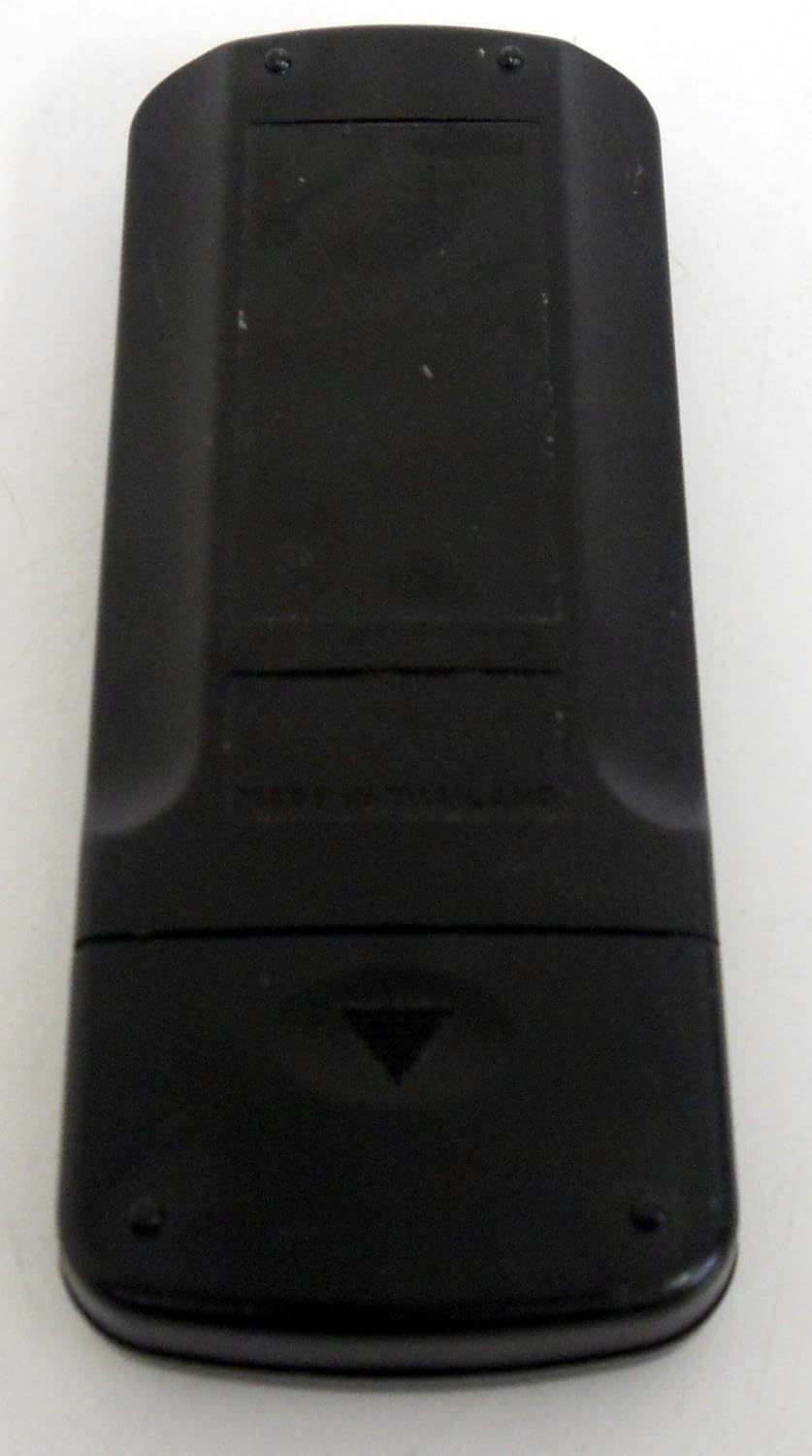
Vervang altyd albei batterye gelyktydig met nuwes. Moenie ou en nuwe batterye, of verskillende soorte batterye, meng nie.
Bedryfsinstruksies
Point the remote control directly at the television's infrared sensor. Ensure there are no obstructions between the remote and the TV.
Knoppie Funksies

- KRAG: Turns the television on or off.
- 0-9 (Getalknoppies): Kies kanale direk.
- DEM: Silences the television audio. Press again to restore audio.
- VOL (+/-): Increases or decreases the volume level.
- CH (+/-): Changes the television channel up or down sequentially.
- SPYSKAART: Accesses the television's on-screen menu system.
- SET (+/-): Used for adjusting settings within the TV menu.
- ENTER: Confirms selections within the TV menu.
- TERUGSTEL: Resets certain TV settings or functions (refer to your TV manual for specifics).
- TV: Switches the input source to TV mode.
- CH.1/2: Toggles between two previously viewed kanale.
- CAPTION/TEXT: Activates or deactivates the Closed Captioning (CCD) feature.
- SLAAP: Sets a timer for the TV to automatically turn off.
- VINNIG VIEW / CALL: May recall previous channel or access specific TV functions (functionality varies by TV model).
Closed Captioning (CCD)
To enable or disable Closed Captioning, press the CAPTION/TEXT button. This feature displays on-screen text of the audio content, useful for hearing-impaired viewers or in noisy environments. The availability and specific settings for closed captioning may vary depending on your television model and broadcast content.
Onderhoud
Proper care ensures the longevity of your remote control:
- Skoonmaak: Use a soft, dry cloth to clean the remote's surface. For stubborn dirt, lightly dampMaak die lap met water skoon. Moenie harde chemikalieë of skuurmiddels gebruik nie.
- Battery vervanging: Replace batteries when the remote's response becomes sluggish or stops working. Remove batteries if the remote will not be used for an extended period to prevent leakage.
- BergingBêre die afstandbeheerder op 'n koel, droë plek weg van direkte sonlig, uiterste temperature en hoë humiditeit.
- Vermy druppels: Protect the remote from physical impact, as internal components can be damaged.
Probleemoplossing
As jy probleme met jou afstandbeheerder ondervind, probeer die volgende oplossings:
- Afstand reageer nie: Check if the batteries are inserted correctly with the correct polarity. Replace old batteries with new AA batteries.
- Limited Range or Intermittent Function: Ensure there is a clear line of sight between the remote and the TV's infrared sensor. Remove any objects blocking the path. Bright light sources can sometimes interfere with infrared signals.
- Specific Button Not Working: If only certain buttons are unresponsive, try cleaning around the button with a cotton swab lightly dampened with rubbing alcohol. If the issue persists, the remote may require replacement.
- Closed Captioning Not Turning Off: Some TV models or broadcast content may have specific settings for closed captioning that override the remote's direct control. Consult your television's user manual for advanced closed captioning settings.
If the problem persists after trying these steps, consult your television's user manual for TV-specific troubleshooting or contact customer support.
Spesifikasies
| Modelnommer | 076R074050 |
| Verbindingstegnologie | Infrarooi |
| Tipe beheerder | Knoppie beheer |
| Versoenbare toestelle | Televisie |
| Battery Tipe | 2 x AA (Alkaline recommended) |
| Item gewig | Approximately 0.01 Ounces (without batteries) |
| Spesiale kenmerk | Ergonomiese ontwerp |
Compatible Television Models
The Orion 076R074050 remote control is originally supplied with, and compatible with, the following television models:
- BROKSONIES: CTVD-5463GVC
- EMERSON: TC1927
- MEMOREX: MT-1195, MT-1196
- NUWETEG: TV-1303
- ORION: TV1318, TV1319, TV1326, TV1326A, TV1326BW, TV1326C, TV1326W, TV1926, TV1926A, TV1926AC, TV1926AW, TV1927, TV1928, TV1928A, TV2525, TV2525C
- SANSUI: TVM1302, TVM1302A, TVM1313, TVM1902, TVM1902A, TVM1903, TVM1913, TVM2502, TVM2502A
This list may not be exhaustive. If your model is not listed, refer to your TV's original documentation or contact the manufacturer for compatibility information.
Waarborg en Ondersteuning
For warranty information or technical support regarding your Orion 076R074050 remote control, please refer to the documentation provided with your television or contact the original seller or manufacturer of your television. Specific warranty terms and support channels are typically managed by the television manufacturer.