
1. Inleiding
This manual provides detailed instructions for the safe and effective use of the PeakTech P 4980 Dual Laser Pointer IR Thermometer. This device is designed for non-contact temperature measurements across a wide range, from -50 to +800 °C. It features dual laser pointers for precise targeting of the measurement area. Please read this manual thoroughly before operating the device and keep it for future reference.
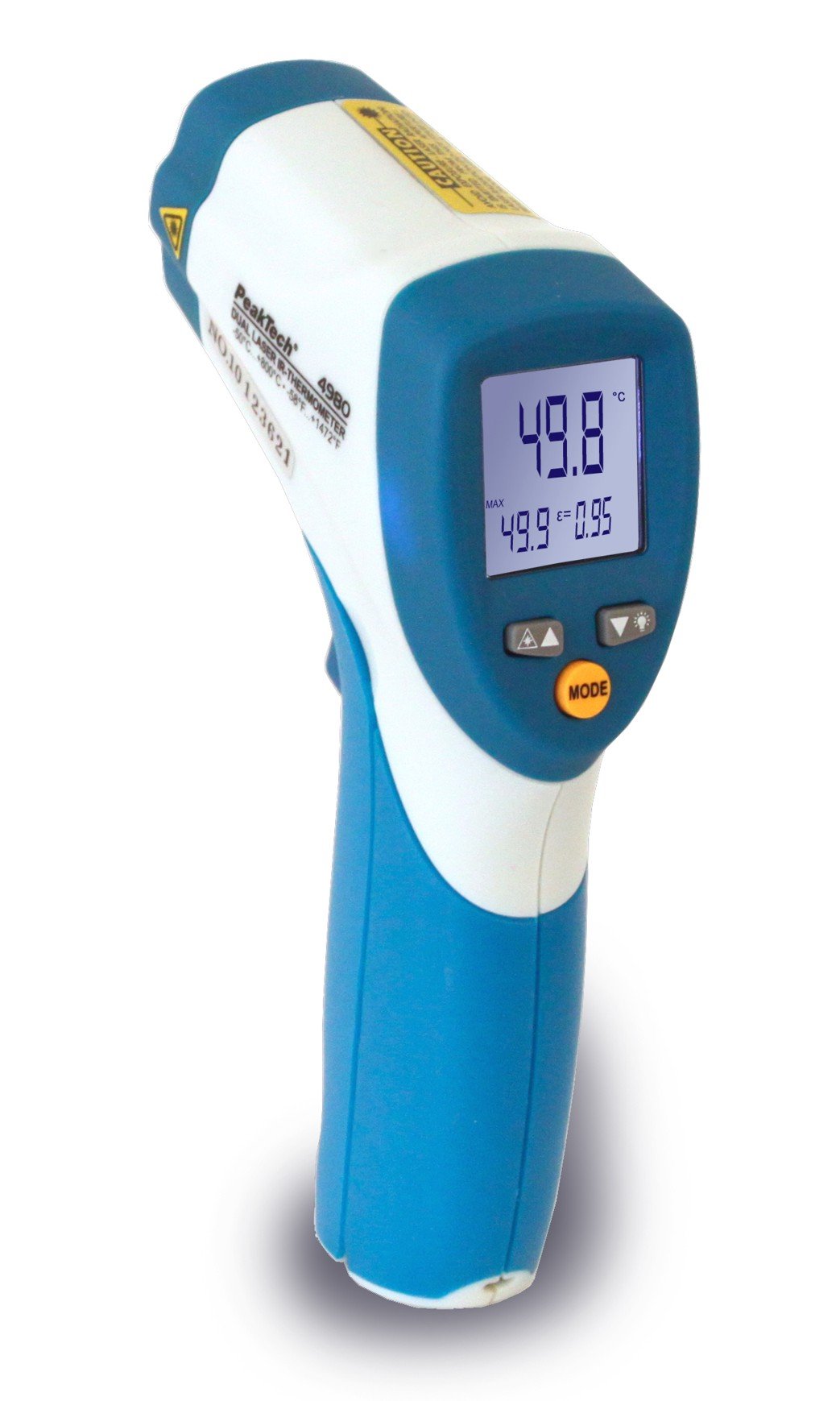
Image 1.1: The PeakTech P 4980 Dual Laser Pointer IR Thermometer, showing its ergonomic design and display.
2. Veiligheidsinligting
Always observe the following safety precautions to prevent injury and avoid damage to the device:
- Laserveiligheid: This device uses Class 2 lasers. Do not stare directly into the laser beam or direct it at people or animals. Avoid direct eye exposure.
- Bedryfsomgewing: Do not use the thermometer in environments with explosive gases, vapor, or dust.
- Temperatuurlimiete: Moenie die toestel blootstel aan uiterste temperature buite die gespesifiseerde bedryfsbereik nie.
- Onderhoud: Only qualified personnel should perform repairs. Do not attempt to modify the device.
- Skoonmaak: Gebruik 'n sagte, droë lap vir skoonmaak. Moenie skuur skoonmaakmiddels of oplosmiddels gebruik nie.
- Battery hantering: Ensure correct battery polarity. Remove batteries if the device will not be used for an extended period. Dispose of batteries according to local regulations.
3. Produkkenmerke
The PeakTech P 4980 offers advanced features for accurate and convenient temperature measurement:
- Dubbele laserwysers: Provides precise targeting, indicating the exact measurement spot.
- Wye temperatuurreeks: Measures temperatures from -50 °C to +800 °C (-58 °F to +1472 °F).
- Nie-kontakmeting: Safely measure hot, hazardous, or hard-to-reach surfaces.
- LCD-skerm: Clear digital display for easy reading of temperature values.
- Verstelbare emissie: Allows for accurate measurements on various surface types (refer to operating instructions for details).
- Data hou funksie: Vries die vertoonde lesing vir maklike opname.
- Agterlig: Improves visibility in dimly lit conditions.
- Outomatiese afskakel: Bewaar batterylewe.
4. Opstelling
4.1 Battery installasie
- Vind die batteryklepdeksel op die handvatsel van die toestel.
- Maak die deksel oop deur dit te skuif of los te maak.
- Insert the included battery, ensuring correct polarity (+ and - terminals).
- Maak die batterykompartement se deksel stewig toe.
4.2 Aan-/afskakel
- To power on the device, press the trigger. The display will illuminate.
- Die toestel sal outomaties afskakel na 'n tydperk van onaktiwiteit om batterylewe te bespaar.
5. Bedryfsinstruksies
5.1 Neem 'n meting
- Rig die termometer na die teikenoppervlak.
- Druk en hou die sneller in. Die dubbele laserwysers sal aktiveer en die meetarea aandui.
- The measured temperature will be displayed on the LCD.
- Release the trigger to hold the reading on the display (Data Hold function).
5.2 Distance-to-Spot Ratio
The accuracy of the measurement depends on the distance-to-spot ratio. Ensure the target area is larger than the measurement spot size at your chosen distance. The dual lasers help define this spot.
5.3 Emissiwiteitsaanpassing
Different materials emit infrared energy differently. For accurate readings, adjust the emissivity setting to match the surface being measured. Consult a standard emissivity table for common materials. The P 4980 allows adjustment via dedicated buttons (refer to device interface for specific controls).
5.4 Unit Selection (°C/°F)
To switch between Celsius (°C) and Fahrenheit (°F), locate the unit selection button (usually labeled '°C/°F' or similar) and press it. The display will change accordingly.
6. Onderhoud
6.1 Die skoonmaak van die toestel
- Vee die toestel c afasing met 'n sagte, damp lap. Moenie skuurmiddels of oplosmiddels gebruik nie.
- For the lens, use a soft cloth or cotton swab with a small amount of isopropyl alcohol.
6.2 Batteryvervanging
When the low battery indicator appears on the display, replace the battery as described in Section 4.1. Always use the specified battery type.
6.3 Berging
Bêre die termometer op 'n koel, droë plek, weg van direkte sonlig en uiterste temperature. Verwyder die batterye as dit vir lang tydperke gebêre word.
7. Probleemoplossing
| Probleem | Moontlike oorsaak | Oplossing |
|---|---|---|
| Toestel skakel nie aan nie. | Dooie of verkeerd geïnstalleerde battery. | Kontroleer die polariteit van die batterye of vervang dit met nuwe batterye. |
| Onakkurate lesings. | Incorrect emissivity setting; distance too far; lens dirty. | Adjust emissivity; move closer to target; clean lens. |
| Laser pointers not visible. | Laser function disabled (if applicable); bright ambient light. | Check laser activation button; use in less bright conditions. |
| Display shows 'ERR' or similar. | Measurement outside range; internal error. | Ensure target temperature is within -50 to +800 °C. If error persists, contact support. |
8. Spesifikasies
| Kenmerk | Spesifikasie |
|---|---|
| Model | P 4980 |
| Temperatuurreeks | -50 ° C tot +800 ° C (-58 ° F tot +1472 ° F) |
| Resolusie | 0.1 °C / 0.1 °F |
| Tipe vertoon | LCD |
| Spesiale kenmerk | Non-contact, Dual Laser Pointer |
| Kragbron | Battery-aangedrewe |
| Ingesluit komponente | Battery |
| Buite materiaal | Plastiek |
| Kleur | Wit/blou |
9. Waarborg en Ondersteuning
9.1 Waarborginligting
This PeakTech product is backed by a 3-year manufacturer's warranty, ensuring quality and reliability. Please retain your proof of purchase for warranty claims.
9.2 Kliëntediens
For technical assistance, troubleshooting, or warranty inquiries, please contact PeakTech customer support. Refer to the official PeakTech webwebwerf of produkverpakking vir die mees onlangse kontakinligting.