
Logitech FBA_920-002582
Logitech USB Keyboard for Business User Manual
Model: FBA_920-002582
Inleiding
This manual provides essential information for the setup, operation, and maintenance of your Logitech USB Keyboard for Business. Designed for efficiency and durability, this keyboard offers a comfortable and reliable typing experience for various computing environments.

Beeld: Bo-onder view of the Logitech USB Keyboard for Business, showcasing its full layout.
Opstelling
The Logitech USB Keyboard for Business is designed for simple plug-and-play functionality. No additional software or drivers are typically required for basic operation on compatible systems.
Koppel die sleutelbord
- Vind 'n beskikbare USB-poort op jou rekenaar.
- Steek die USB-aansluiting van die sleutelbord stewig in die USB-poort.
- Wait for your operating system to recognize the new hardware. This process is usually automatic and takes a few seconds.
- Die sleutelbord is nou gereed vir gebruik.

Image: The Logitech K120 keyboard, highlighting its plug-and-play USB connectivity.
Bedryfsinstruksies
This keyboard features a standard 104-key layout, including a full-size F-key row and a dedicated number pad, providing comprehensive functionality for business and general use.
Sleutel kenmerke
- Lae-Profile Sleutels: Designed for a quiet and comfortable typing experience.
- Volgrootte uitleg: Includes a complete set of keys, F-keys, and a numeric keypad for efficient data entry.
- Bold, Bright Characters: Key legends are designed to be easy to read and resistant to wear.
- Verstelbare kantelpote: Allows for personalized ergonomic adjustment to suit your typing preference.

Image: A hand positioned on the keyboard, demonstrating the familiar and comfortable typing experience.

Image: A detailed diagram illustrating key features such as spill-proof design, deep-profile keys, full-size layout, adjustable height, Windows layout, and the integrated number pad.
Duursaamheid en ontwerp
The Logitech USB Keyboard for Business is built to withstand daily use and common office accidents, ensuring long-lasting performance.
Morsbestande ontwerp
This keyboard features a spill-resistant design, meaning accidental liquid spills can drain out without damaging the internal components. This feature is tested under limited conditions (maximum of 60 ml liquid spillage). It is important not to immerse the keyboard in liquid.

Image: The keyboard surface with water droplets, demonstrating its spill-resistant capabilities.
Adjustable Typing Angle
The integrated adjustable tilt legs allow you to customize the keyboard's angle for a more comfortable and ergonomic typing position, reducing strain during extended use.
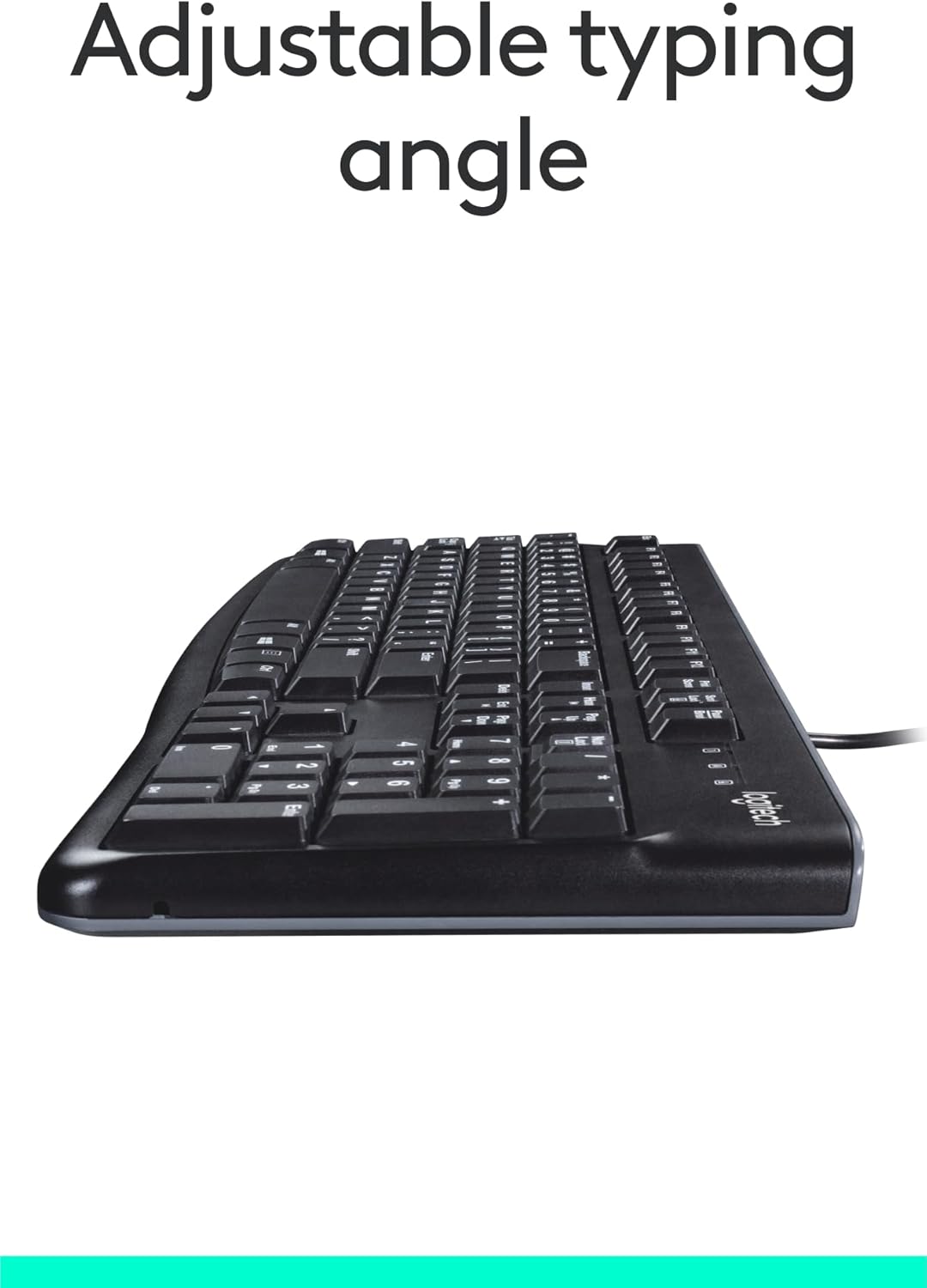
Beeld: Sykant view of the keyboard with its adjustable tilt legs extended, showing the elevated typing angle.
Onderhoud
Proper care and cleaning will help maintain the performance and appearance of your keyboard.
Skoonmaakinstruksies
- Ontkoppel die sleutelbord van jou rekenaar voordat jy dit skoonmaak.
- Gebruik 'n sagte, pluisvrye lap effens dampmet water of 'n sagte skoonmaakoplossing om die oppervlak van die sleutelbord af te vee.
- Avoid using harsh chemicals, abrasive cleaners, or solvents, as these can damage the keyboard's finish and key legends.
- Vir skoonmaak tussen sleutels, gebruik saamgeperste lug om stof en puin te verwyder.
- Maak seker dat die sleutelbord heeltemal droog is voordat jy dit weer aan jou rekenaar koppel.
Probleemoplossing
If you encounter issues with your Logitech USB Keyboard for Business, try the following troubleshooting steps:
Sleutelbord reageer nie
- Gaan USB-verbinding na: Maak seker dat die sleutelbord se USB-kabel stewig in 'n werkende USB-poort op jou rekenaar ingeprop is. Probeer 'n ander USB-poort.
- Herbegin rekenaar: 'n Eenvoudige herbegin kan dikwels konnektiwiteitsprobleme oplos.
- Toets op 'n ander rekenaar: Indien moontlik, koppel die sleutelbord aan 'n ander rekenaar om te bepaal of die probleem met die sleutelbord of jou oorspronklike rekenaar se opstelling is.
- Gaan Toestelbestuurder (Windows) na: Open Device Manager, locate 'Keyboards', and check for any error indicators. You may need to update or reinstall the keyboard driver (though typically not required for this plug-and-play model).
Sleutels werk nie korrek nie
- Skoonmaaksleutels: Ensure no debris is lodged under the non-functioning keys. Use compressed air to clear any obstructions.
- Spill Damage: If the keyboard has been exposed to a significant liquid spill, allow it to dry completely. If issues persist, internal damage may have occurred.
Spesifikasies
| Kenmerk | Detail |
|---|---|
| Handelsmerk | Logitech |
| Modelnommer | FBA_920-002582 |
| Verbindingstegnologie | USB, USB-A |
| Sleutelbordbeskrywing | Ergonomies |
| Aantal sleutels | 104 |
| Materiaal | Plastiek |
| Bedryfstelselversoenbaarheid | Windows 10 (and compatible with other standard OS) |
| Item gewig | 1.52 pond (ongeveer 689 gram) |
| Produkafmetings (LxBxH) | 18.43 x 7.24 x 7.24 duim (ongeveer 46.8 x 18.4 x 18.4 cm) |

Image: Visual representation of the keyboard with its key dimensions and weight detailed.
Pakketinhoud
The retail package for the Logitech USB Keyboard for Business typically includes the following:
- Logitech USB Keyboard for Business (Model: FBA_920-002582)

Image: The Logitech USB Keyboard for Business, indicating it is the primary item included in the product package.
Waarborg en Ondersteuning
Logitech products are manufactured to high quality standards and are backed by a limited hardware warranty. For specific warranty terms and conditions, please refer to the warranty information provided with your product at the time of purchase or visit the official Logitech support webwebwerf.
For technical support, frequently asked questions, and driver downloads (if applicable), please visit the official Logitech support page or the Logitech Winkel op Amazon.