
1. Inleiding
The SilverLit 1:16 Enzo Ferrari Bluetooth R/C Car offers an interactive remote control experience using your iOS device (iPod touch, iPhone, or iPad). This manual provides essential information for the proper setup, operation, and maintenance of your R/C car.
Hierdie produk is ontwerp vir gebruikers van 8 jaar en ouer.

Image: The SilverLit 1:16 Enzo Ferrari R/C Car in red, shown alongside an iPhone displaying the car's control dashboard app. The car is depicted in motion, suggesting its remote-controlled nature.
2. Opstelling
2.1 Battery installasie
- Locate the battery compartment on the underside of the Enzo Ferrari R/C car.
- Maak die batteryvakdeksel oop.
- Insert 4 AA batteries, ensuring correct polarity (+/-). The batteries are included with the product.
- Maak die batterykompartement se deksel stewig toe.
2.2 Toepassing aflaai en installering
- Ensure your iOS device (iPod touch, iPhone, or iPad) is connected to the internet.
- Open the Apple App Store on your device.
- Soek vir the "SilverLit Enzo Ferrari" application.
- Download and install the official application.
- Let wel: This product is designed for iOS devices. An Android application is not available for this model.
2.3 Bluetooth-verbinding
- Turn on the Enzo Ferrari R/C car.
- On your iOS device, go to "Settings" and ensure Bluetooth is enabled.
- Open the SilverLit Enzo Ferrari application.
- The app will automatically search for and connect to the R/C car via Bluetooth. No other attachments are required.
- Once connected, the app will display the Ferrari dashboard interface, ready for control.

Image: The product packaging for the SilverLit Interactive Bluetooth R/C Enzo Ferrari car, showing the car model and an iPhone displaying the control app. The box highlights compatibility with iPod touch, iPhone, and iPad.
3. Operasie
The SilverLit Enzo Ferrari R/C Car offers two primary control modes: gesture control and virtual joystick control, both accessible through the dedicated iOS application.
3.1 Gebaarbeheer
- Acceleration/Braking: Tilt your iOS device forward to accelerate. Tilt it backward to brake and reverse.
- Stuur: Tilt your iOS device left or right to steer the car in the corresponding direction.
- The app provides force feedback, simulating engine rumble that intensifies with speed.
3.2 Virtual Joystick Control
- Within the app, select the virtual joystick mode for traditional control.
- Use the on-screen joysticks or controls to manage speed and direction.
3.3 Lighting and Sound Effects
- The app dashboard features controls for headlights, tail lights, and signal lights, which are triggered directly from the application.
- Experience authentic Ferrari engine rev sounds directly from your device.
Video: An official demonstration of the SilverLit Enzo Ferrari R/C Car in action, showcasing its Bluetooth connectivity and control via an iOS device. The video highlights gesture control, responsive driving, and the detailed app interface, including lighting functions.
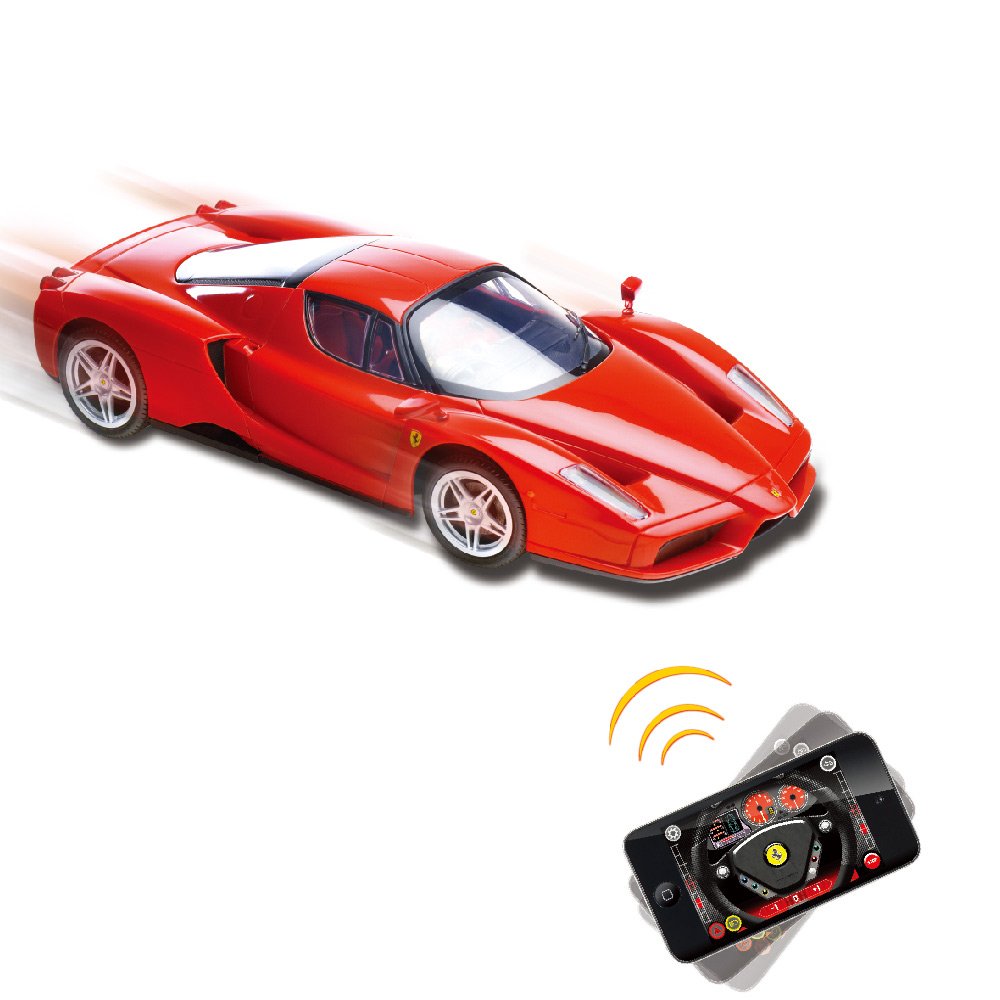
Image: A red SilverLit Enzo Ferrari R/C Car on a white surface, with an iPhone displaying the control app. Blue lines emanate from the phone towards the car, symbolizing the Bluetooth connection and control.
4. Onderhoud
- Skoonmaak: Use a soft, dry cloth to clean the car's exterior. Avoid using water or chemical cleaners, as they may damage the electronics or paint finish.
- Batterysorg: Remove batteries from the car if it will not be used for an extended period to prevent leakage.
- Berging: Store the R/C car in a cool, dry place away from direct sunlight and extreme temperatures.
- Hantering: Handle the car with care to avoid damage to its detailed body and internal components.

Beeld: 'n Gedetailleerde agterkant view of the red SilverLit 1:16 Enzo Ferrari R/C Car, showcasing its tail lights, exhaust pipes, and the Ferrari emblem.
5. Probleemoplossing
- Motor reageer nie:
- Ensure the car's power switch is ON.
- Kontroleer of die batterye korrek geïnstalleer is en voldoende gelaai is. Vervang indien nodig.
- Verify that Bluetooth is enabled on your iOS device.
- Ensure the SilverLit Enzo Ferrari app is open and attempting to connect.
- Move your iOS device closer to the car to ensure it's within Bluetooth range (typically up to 5 feet for optimal performance, as noted in some user reviews).
- Restart both the car and the app.
- App koppel nie:
- Confirm your device is an iOS device (iPod touch, iPhone, or iPad). The app is not compatible with Android.
- Check your device's Bluetooth settings.
- Maak die toepassing toe en heropen.
- Maak seker dat geen ander Bluetooth-toestelle met die verbinding inmeng nie.
- Poor control response:
- Ensure your iOS device's screen is clean and free of obstructions for accurate gesture or joystick input.
- Practice with both gesture and virtual joystick modes to find your preferred control style.
- Check for any physical obstructions or damage to the car's wheels or steering mechanism.
6. Spesifikasies
| Kenmerk | Detail |
|---|---|
| Handelsmerk | SilverLit |
| Model Naam | 86067 |
| Skaal | 1:16 Skaal |
| Speelgoedvoertuigvorm | Kar |
| Onderwerp Karakter | Enzo Ferrari |
| Kleur | Rooi |
| Bedryfsmodus | App-beheer (Bluetooth) |
| Kragbron | Battery aangedrewe |
| Batterye benodig | 4 AA-batterye (ingesluit) |
| Item gewig | 1.1 pond |
| Itemafmetings (L x B x H) | 35.6 x 12.7 x 20.3 sentimeter |
| Vergadering benodig | Nee |
| Ouderdomsreeksbeskrywing | Adult (as per product data, though often used by younger users with supervision) |
7. Waarborg en Ondersteuning
For warranty information and customer support, please refer to the documentation included in the product packaging or visit the official SilverLit webwebwerf. Bewaar u aankoopbewys as bewys van aankoop vir enige waarborgeise.
Manufacturer: Innovation & Invention LLP