BlackBerry BB 9900 Bold Touch Smartphone User Manual
Model: BB 9900
1. Inleiding
This manual provides essential instructions for setting up, operating, and maintaining your BlackBerry BB 9900 Bold Touch smartphone. Please read this guide thoroughly to ensure proper use and to maximize the device's capabilities. The BlackBerry BB 9900 Bold Touch combines a capacitive touchscreen with a full QWERTY keyboard, running on BlackBerry OS 7.
2. Pakketinhoud
Verifieer dat jou pakket die volgende items bevat:
BlackBerry BB 9900 Bold Touch Smartphone
Herlaaibare battery
Muurlaaier
USB kabel
Gebruikershandleiding (hierdie dokument)
3. Toestel oorview
Familiarize yourself with the physical features of your BlackBerry BB 9900 Bold Touch.
3.1 Voorkant View
Beeld: Voorkant view of the BlackBerry BB 9900 Bold Touch, highlighting the 2.8-inch touchscreen and the physical QWERTY keyboard below it. The device also features a trackpad and call/end buttons.
Raakskermskerm: 2.8-inch capacitive display for interactive navigation.
QWERTY-sleutelbord: Full physical keyboard for efficient typing.
Optical Trackpad: For precise navigation and selection.
Oproep/Beëindig-knoppies: Standard telephony controls.
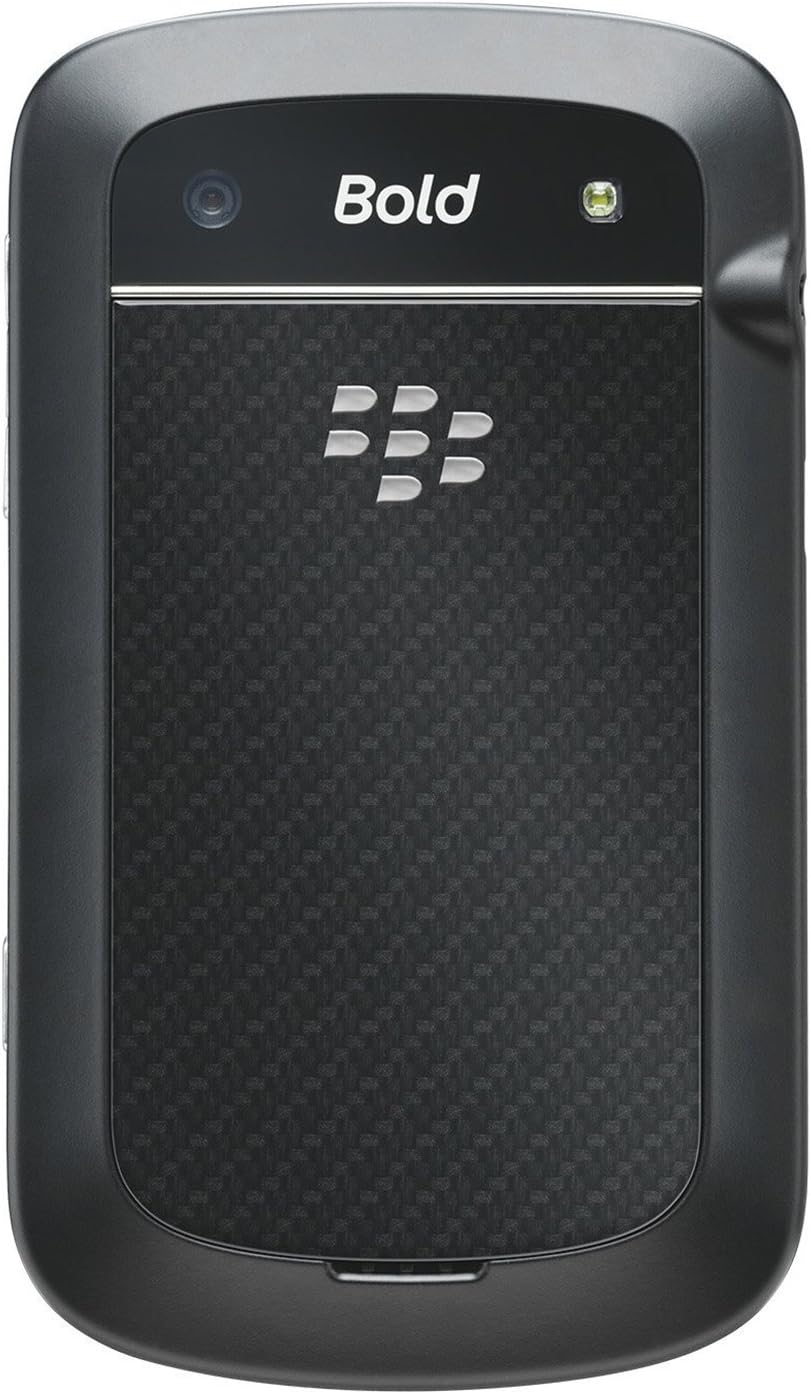
3.2 Agter View
Beeld: Agter view of the BlackBerry BB 9900 Bold Touch, featuring the 5-megapixel camera lens, LED flash, and the BlackBerry logo.
5MP kamera: Primary camera with autofocus and LED flash.
Batterydeksel: Removable cover for battery and SIM card access.
3.3 Kant View
Beeld: Sykant view of the BlackBerry BB 9900 Bold Touch, illustrating the placement of the volume control buttons and a customizable convenience key.
Volume knoppies: Pas klankvlakke aan.
Convenience Key: Customizable shortcut button.
4. Opstelling
4.1 Die SIM-kaart insit
Remove the battery cover from the back of the device.
Vind die SIM -kaartgleuf.
Plaas die SIM-kaart in met die goue kontakte na onder en die afgesnyde hoek in lyn met die gleuf.
Ensure the SIM card is securely in place.
4.2 Plaas die battery in
After inserting the SIM card, align the battery's gold contacts with the contacts in the battery compartment.
Druk die battery liggies in plek totdat dit klik.
Vervang die batterydeksel.
4.3 Laai die toestel
Connect the USB cable to the charging port on your device.
Plug the other end of the USB cable into the wall charger, then into a power outlet.
Laat die toestel ten volle laai voor die eerste gebruik. Die battery-aanwyser op die skerm sal die laaistatus wys.
4.4 Aan-/afskakel
Om aan te skakel: Press and hold the Power/Lock button (usually located on the top edge) until the BlackBerry logo appears.
Om af te skakel: Press and hold the Power/Lock button until the 'Power Off' option appears on the screen. Tap 'Power Off' to confirm.
5. Bedryfsinstruksies
5.1 Aanraakskermnavigasie
Tik: Touch the screen briefly to open applications, select items, or activate buttons.
Swiep: Drag your finger across the screen to scroll through lists or switch between home screen panels.
Knyp-om-te-Zoem: Use two fingers to zoom in or out on photos, web pages, or maps.
5.2 Using the QWERTY Keyboard
The physical QWERTY keyboard allows for fast and accurate text entry. Each key corresponds to a letter, number, or symbol. Use the 'Alt' key for alternate characters and the 'Shift' key for capitalization.
5.3 Oproepe maak
From the home screen, tap the Phone icon or press the green Call button.
Enter the phone number using the keyboard.
Press the green Call button to initiate the call.
To end a call, press the red End Call button.
5.4 Stuur boodskappe
Tap the Messages icon from the home screen.
Select 'Compose New' or similar option.
Voer die ontvanger se nommer in of kies uit kontakte.
Tik jou boodskap met die QWERTY-sleutelbord.
Tap 'Send'.
5.5 Gebruik van die kamera
Tap the Camera icon to open the camera application.
Raam jou skoot deur die skerm as 'n viewWell.
Tap the screen or press the convenience key (if configured) to take a photo.
The 5MP camera features autofocus and an LED flash for improved image quality.
5.6 Koppel aan Wi-Fi
Go to 'Options' > 'Networks and Connections' > 'Wi-Fi'.
Turn Wi-Fi on. The device will scan for available networks.
Kies jou verlangde netwerk en voer die wagwoord in indien gevra.
Once connected, the Wi-Fi indicator will appear in the status bar.
5.7 Using NFC (Near Field Communication)
The BlackBerry BB 9900 Bold Touch supports NFC for short-range wireless communication. This allows for quick pairing with compatible accessories or sharing data with other NFC-enabled devices by tapping them together.
Maak seker dat NFC in jou toestelinstellings geaktiveer is.
Hold your device close to another NFC-enabled device or tag.
Follow on-screen prompts to complete the desired action (e.g., pairing, data transfer).
6. Onderhoud
6.1 Skoonmaak van jou toestel
Use a soft, lint-free cloth to wipe the screen and body of the device.
Vermy die gebruik van harde chemikalieë, skuurmiddels of aërosolspuitmiddels.
Moenie die toestel aan oormatige vog blootstel nie.
6.2 Batterysorg
Vermy uiterste temperature, wat batteryprestasie kan benadeel.
Use only the original or approved charger.
Moenie die battery deurboor of beskadig nie.
6.3 Sagteware-opdaterings
Periodically check for software updates to ensure your device has the latest features and security enhancements. Updates can typically be found in the device's 'Options' or 'Settings' menu under 'Software Updates'.
7. Probleemoplossing
7.1 Toestel skakel nie aan nie
Maak seker dat die battery behoorlik ingesit en gelaai is.
Connect the device to the charger and wait a few minutes before attempting to power on again.
If the issue persists, try removing and reinserting the battery.
7.2 Netwerkverbindingsprobleme
Check if your SIM card is correctly inserted and activated with your carrier.
Verify that cellular data or Wi-Fi is enabled in your device settings.
Herbegin die toestel.
If using Wi-Fi, ensure your router is working and you have entered the correct password.
7.3 Touch Screen Unresponsive
Herbegin die toestel.
Maak seker dat die skerm skoon en vry van puin of vog is.
If the issue is intermittent, check for any recent software installations that might be causing conflicts.
8. Spesifikasies
Kenmerk
Detail
Model Naam
BB 9900
Bedryfstelsel
BlackBerry OS 7
Vertoon
2.8-inch Capacitive Touchscreen, 640 x 480 Resolution
Verwerker
Not specified (typically 1.2 GHz for this model)
RAM
768 MB
Interne berging
8 GB
Agterste kamera
5 MP, Autofocus, LED Flash
Konnektiwiteit
Wi-Fi 802.11 b/g/n, NFC, Bluetooth, GPS
Netwerk ondersteuning
Quad-band GSM/GPRS/EDGE, Tri-band HSPA+
Afmetings
4.53 x 2.6 x 0.41 duim (115 x 66 x 10.5 mm)
Gewig
4.6 onse (130 gram)
Klankaansluiting
3.5 mm
9. Ondersteuning en waarborg
9.1 Kliëntediens
For technical assistance, troubleshooting beyond this manual, or service inquiries, please visit the official BlackBerry support website or contact your local service provider. Refer to the packaging or official webwebwerf vir spesifieke kontakbesonderhede.
9.2 Waarborginligting
Your BlackBerry BB 9900 Bold Touch is covered by a limited warranty. Please refer to the warranty card included in your product packaging or visit the official BlackBerry website for detailed terms and conditions, including warranty period and coverage specifics. Keep your proof of purchase for warranty claims.
Ask a question about this manual
Ask about setup, troubleshooting, compatibility, parts, safety, or missing instructions. Manuals+ will review the question and use this page’s manual context to help answer it.