
Brateck PLB-42-BLK-53
Brateck PLB-42-BLK-53 Ultra-Slim Adjustable Tilt Wall Mount Bracket User Manual
Model: PLB-42-BLK-53
1. Inleiding
This manual provides detailed instructions for the safe and proper installation and use of your Brateck PLB-42-BLK-53 Ultra-Slim Adjustable Tilt Wall Mount Bracket. This wall mount is designed to securely hold most 23-inch to 37-inch LCD and Plasma televisions, supporting a maximum weight of 165 lbs (75 kg). Its ultra-slim profile positions your television approximately 1.81 inches (4.6 cm) from the wall, offering a sleek and modern appearance. The adjustable tilt feature allows for optimal viewhoeke.
2. Belangrike veiligheidsinligting
WARNING: Failure to read and follow all instructions may result in personal injury, property damage, or voiding of your warranty. If you have any questions, please contact Brateck customer support.
- Maak seker dat die monteeroppervlak die gekombineerde gewig van die montering en die televisie veilig kan ondersteun.
- Moenie die maksimum gewigskapasiteit van 165 lbs (75 kg) oorskry nie.
- Use only the hardware provided or specified by Brateck.
- Always use a stud finder to locate wood studs or ensure concrete walls are suitable for drilling.
- Professionele installasie word aanbeveel vir optimale veiligheid en prestasie.
- Hou kinders weg tydens installasie.
3. Pakketinhoud
Verify that all components are present and undamaged before beginning installation. If any parts are missing or defective, do not proceed with installation and contact Brateck customer support.
- Muurplaat-samestelling
- TV Mounting Arms (2)
- Hardeware-stel (verskeie skroewe, wassers, spasieerders, ankers)
- Built-in Leveling Bubble (integrated into wall plate)
4. Produkspesifikasies
| Kenmerk | Spesifikasie |
|---|---|
| Modelnommer | PLB-42-BLK-53 |
| Materiaal | Allooi staal |
| Kleur | Swart |
| Versoenbare TV-groottes | 23" to 37" LCD/Plasma TVs |
| Maksimum gewig kapasiteit | 165 lbs (75 kg) |
| Kantelhoek | -10° Degree Variable Downward Tilt |
| Muurafstand (Profile) | 1.81 duim (4.6 cm) |
| VESA Compatibility (Horizontal) | 56mm (min) - 424mm (max) / 2.25" (min) - 16.5" (max) |
| VESA Compatibility (Vertical) | 43mm (min) - 230mm (max) / 1.75" (min) - 9" (max) |
| Muurplaat afmetings | 18" Wide x 8" High (approx.) |
The image below illustrates the key dimensions and VESA mounting patterns for the Brateck PLB-42-BLK-53 wall mount.

Figure 1: Wall Mount Dimensions and VESA Compatibility
5. Installasiehandleiding
Before you begin, ensure you have the necessary tools (e.g., drill, stud finder, screwdriver, level, measuring tape) and understand the instructions completely.
5.1. Pre-installasie tjeks
- TV-versoenbaarheid: Verify your TV's VESA mounting pattern is within the mount's supported range (max 420x230mm).
- Muurtipe: Determine if your wall is wood stud, concrete, or brick. Different hardware and drilling techniques are required.
- Gewig kapasiteit: Bevestig dat jou TV se gewig nie 75 kg (165 lbs) oorskry nie.
5.2. Stap-vir-stap installasie
The following image shows the main components of the wall mount bracket.
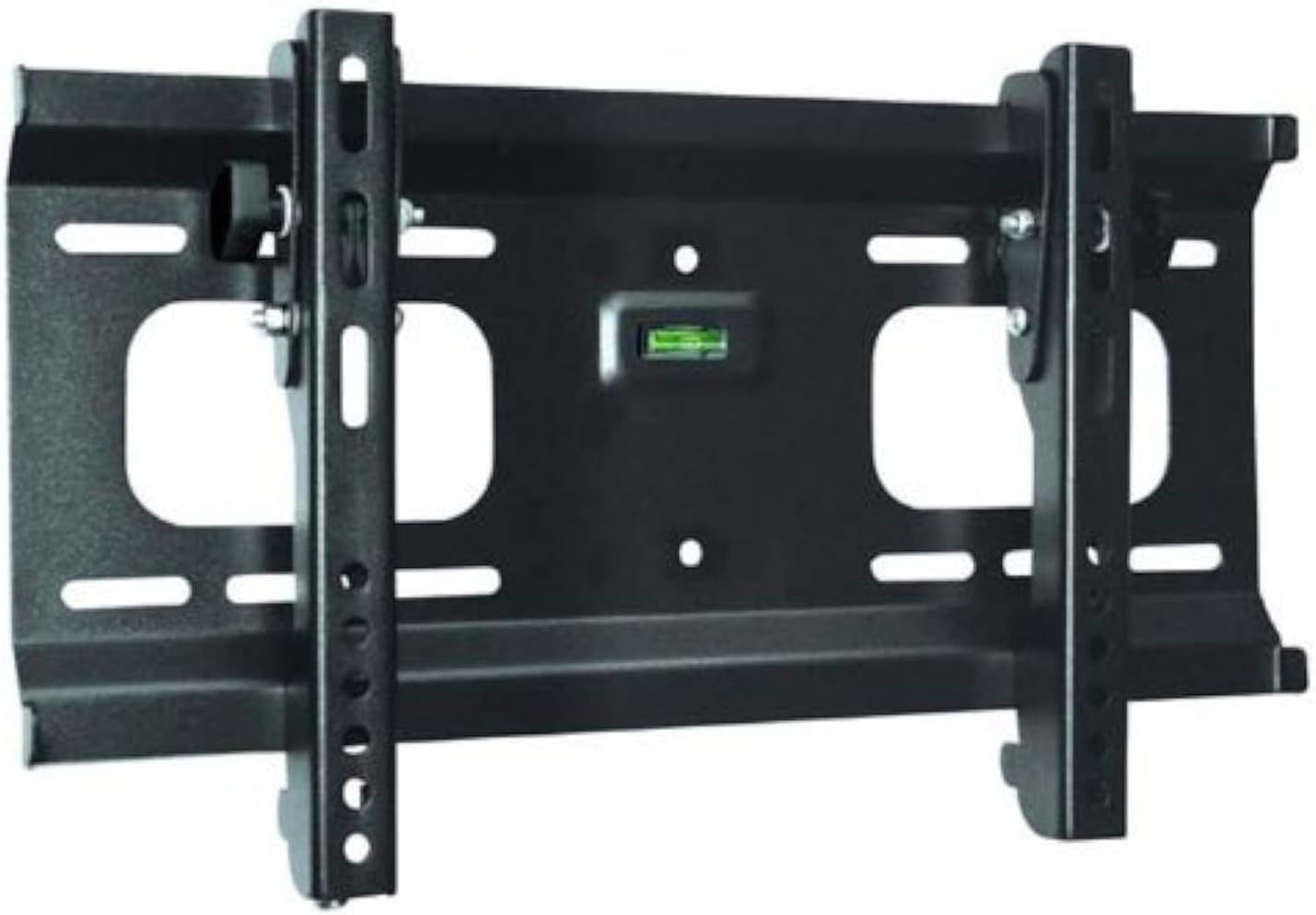
Figure 2: Brateck PLB-42-BLK-53 Wall Mount Bracket
- Merk en boor:
- Bepaal die verlangde hoogte vir jou TV.
- Position the wall plate against the wall and use the integrated leveling bubble to ensure it is perfectly horizontal.
- Mark the drilling locations through the holes on the wall plate.
- Drill pilot holes according to the type of wall and hardware being used (e.g., for wood studs, drill directly; for concrete, use masonry drill bit and anchors).
- Heg muurplaat aan:
- Rig die muurplaat met die geboorde gate.
- Secure the wall plate to the wall using the appropriate screws and washers from the hardware kit. Ensure it is firmly attached.
- Heg TV-hakies aan:
- Plaas jou TV versigtig met die gesig na onder op 'n sagte, skoon oppervlak.
- Attach the two TV mounting arms to the back of your television using the correct screws, washers, and spacers from the hardware kit that fit your TV's VESA pattern. Ensure the arms are securely fastened and evenly spaced.
- Monteer TV aan muurplaat:
- With assistance, carefully lift the television with the attached mounting arms.
- Hook the mounting arms onto the top edge of the wall plate.
- Gently lower the TV until the arms are fully seated on the wall plate.
- Veilige TV om te monteer:
- Locate the safety screws or locking mechanisms on the bottom of the TV mounting arms.
- Tighten these screws to secure the TV to the wall plate, preventing accidental dislodgement.
6. Operating Instructions (Tilt Adjustment)
The Brateck PLB-42-BLK-53 mount features an adjustable tilt mechanism to optimize your viewondervinding.
- Unlock Tilt: Loosen the tilt adjustment knobs located on the sides of the TV mounting arms. Do not remove them completely.
- Pas hoek aan: Gently tilt the bottom of your television forward or backward to achieve the desired viewing angle (up to -10 degrees downward tilt).
- Lock Tilt: Once the desired angle is set, firmly tighten the tilt adjustment knobs to secure the television in place. Ensure both knobs are equally tightened to prevent uneven stress on the mount.
7. Onderhoud
- Skoonmaak: Use a soft, dry cloth to clean the mount. Avoid abrasive cleaners or solvents that could damage the finish.
- Periodieke ondersoeke: Periodically inspect the mount and all fasteners to ensure they remain secure. Retighten any loose screws if necessary.
- Gewigsbeperking: Do not hang additional items or exceed the maximum weight capacity of the mount.
8. Probleemoplossing
- TV is nie gelyk nie: Ensure the wall plate was installed perfectly level using the built-in bubble level. If the wall plate is level, check if the TV mounting arms are attached evenly to the TV. Minor adjustments can sometimes be made by slightly loosening and re-tightening the TV screws.
- Die montering voel los teen die muur: Immediately remove the TV. Re-check all wall plate fasteners. Ensure they are properly anchored into studs or concrete with appropriate hardware. If necessary, consult a professional installer.
- Tilt adjustment is difficult or doesn't hold: Ensure the tilt adjustment knobs are sufficiently loosened before attempting to adjust the angle. After adjustment, tighten them firmly to secure the TV's position. If the mechanism is stiff, ensure no cables are obstructing movement.
9. Waarborg en Ondersteuning
For information regarding product warranty, technical support, or replacement parts, please refer to the warranty card included with your product or visit the official Brateck website. Please have your model number (PLB-42-BLK-53) and purchase information ready when contacting support.
Ask a question about this manual
Ask about setup, troubleshooting, compatibility, parts, safety, or missing instructions. Manuals+ will review the question and use this page’s manual context to help answer it.