
Logitech 910-001543
Logitech Wireless Mouse M215 gebruikershandleiding
Model: M215 (910-001543)
Inleiding
This manual provides essential information for setting up, operating, and maintaining your Logitech Wireless Mouse M215. Please read this manual thoroughly before using the product to ensure optimal performance and longevity.
Pakketinhoud
- Logitech Wireless Mouse M215
- USB Nano -ontvanger
- 1 AA-battery (vooraf geïnstalleer of ingesluit)
- Gebruikersdokumentasie (hierdie handleiding)
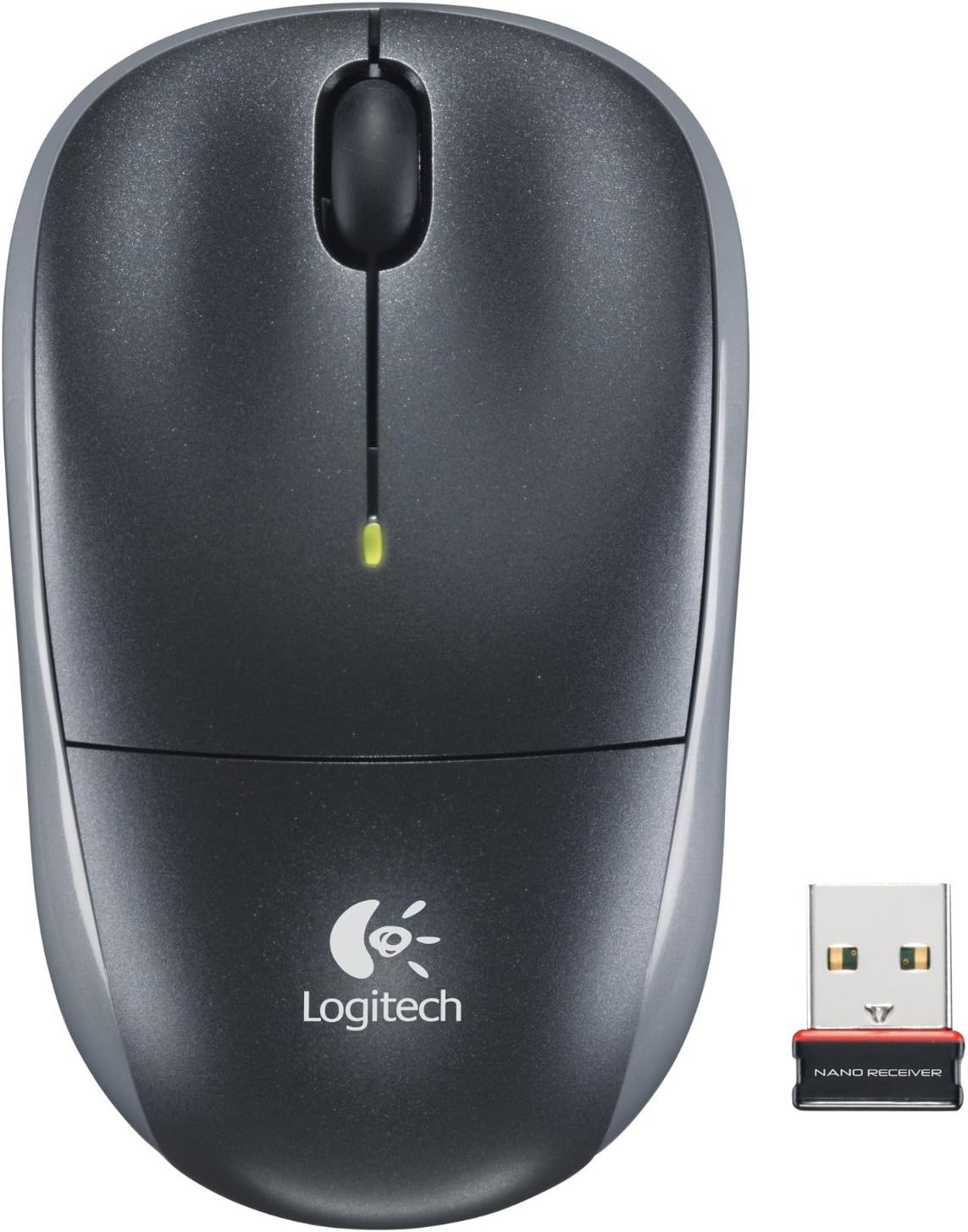
Image: The Logitech Wireless Mouse M215, a compact dark grey mouse with a scroll wheel and two main buttons, shown alongside its small USB Nano Receiver. The mouse features the Logitech logo on its palm rest.
Opstelling
1. Installeer die battery
The Logitech Wireless Mouse M215 requires one AA battery. The battery compartment is located on the underside of the mouse. Open the compartment, insert the AA battery ensuring correct polarity (+/-), and close the compartment. A battery is included with the mouse.
2. Connect USB Nano Receiver
Locate an available USB port on your computer (desktop or laptop). Insert the USB Nano Receiver firmly into the USB port. Your operating system should automatically detect and install the necessary drivers. No additional software installation is typically required.
3. Power On Mouse
On the underside of the mouse, locate the On/Off switch. Slide the switch to the "On" position. The mouse is now ready for use.
Bedryfsinstruksies
The Logitech Wireless Mouse M215 provides intuitive control for your computer.
- Links klik: Druk die linkerknoppie om items te kies, skakels oop te maak of funksies te aktiveer.
- Regs klik: Druk die regterknoppie om kontekskieslyste oop te maak of toegang tot bykomende opsies te verkry.
- Rolwiel: Rol die skuifwiel op of af om deur dokumente te navigeer en web bladsye.
- Middle Click (Scroll Wheel Button): Press the scroll wheel down to activate middle-click functions, such as opening links in new tabs or auto-scrolling.
- Beweging: Move the mouse across a flat surface to control the cursor on your screen. The optical sensor provides smooth and precise tracking.
The mouse is designed for comfortable use, allowing for easy text selection and effortless scrolling.
Onderhoud
- Skoonmaak: Gebruik 'n sagte, droë lap om die buitekant van die muis skoon te maak. Vir hardnekkige vuiligheid, gebruik 'n effens droë lap.amp cloth can be used, but ensure no moisture enters the internal components. Avoid abrasive cleaners or solvents.
- Battery vervanging: When the battery indicator light (if present) glows red or mouse performance degrades, replace the AA battery. Ensure the mouse is turned off before replacing the battery.
- Ontvangerberging: The USB Nano Receiver can be stored inside the mouse's battery compartment when not in use, which is convenient for travel and prevents loss.
Probleemoplossing
| Probleem | Oplossing |
|---|---|
| Muis reageer nie. |
|
| Die wyserbeweging is wisselvallig of springerig. |
|
| Mouse disconnects frequently. |
|
Spesifikasies
- Model: M215 (910-001543)
- Verbinding: 2.4 GHz Draadloos (USB Nano Ontvanger)
- Bewegingsopsporing: Opties
- Battery tipe: 1 x AA (ingesluit)
- Afmetings: 5.88 x 3.5 x 8.25 duim (produkafmetings)
- Gewig: 8 onse (itemgewig)
- Vervaardiger: Logitech, Bpk.
- Kleur: Black, red and blue
Waarborg en Ondersteuning
Vir waarborginligting en tegniese ondersteuning, besoek asseblief die amptelike Logitech-ondersteuning website or refer to the warranty card included with your product. You can also visit the Logitech Winkel op Amazon vir meer besonderhede.
Logitech, Inc.
ASIN: B003OX1LEO
Ask a question about this manual
Ask about setup, troubleshooting, compatibility, parts, safety, or missing instructions. Manuals+ will review the question and use this page’s manual context to help answer it.