
Inleiding
The Legrand On-Q RJ25 Telephone Keystone Jack (Model F9042WHV1) is a universal connector designed to provide a reliable termination point for up to three telephone lines. Its rear mount, snap-in keystone design allows for easy installation and integration into standard keystone wall plates. This manual provides detailed instructions for the proper installation and use of this product.
Produk verbyview
The F9042WHV1 keystone jack features a female RJ25 port on the front for connecting telephone cables and punch-down terminals on the rear for wiring. It is designed for quick and secure connections, supporting reliable performance for your telephone network.

Figuur 1: Voorkant view of the Legrand On-Q RJ25 Telephone Keystone Jack, highlighting the female RJ25 port and the clear cover over the punch-down terminals.

Figure 2: The Legrand On-Q RJ25 Telephone Keystone Jack as it appears in its retail packaging.
Installasie-instruksies
Follow these steps for a proper and secure installation of your RJ25 Telephone Keystone Jack.
- Berei die kabel voor: Strip approximately 1 inch of the outer jacket from your telephone cable (e.g., CAT3 or CAT5). Carefully separate the wire pairs.
- Identifiseer bedrading: Refer to the color-coded wiring diagram provided on the product packaging or below. The jack itself indicates T1/R1/T2/R2, and the packaging provides the corresponding wire colors (Blue, Orange, Green pairs). Ensure you match the correct wires to the designated terminals for your specific telephone line configuration.
- Punch Down Wires: Place each individual wire into its corresponding slot on the punch-down terminal block. Use a standard 110-type punch-down tool (a plastic tool may be included) to firmly press each wire into place. The tool will simultaneously cut off any excess wire.
- Secure the Jack: Once all wires are punched down, snap the keystone jack into an available port on your On-Q keystone wall plate or decorator strap. The rear mount snap-in design ensures a secure fit.
- Mount the Wall Plate: Attach the wall plate to your electrical box using the provided screws. Ensure the plate is flush against the wall.
- Toets verbinding: Connect a telephone or other compatible device to the RJ25 port to verify the connection is active and functioning correctly.
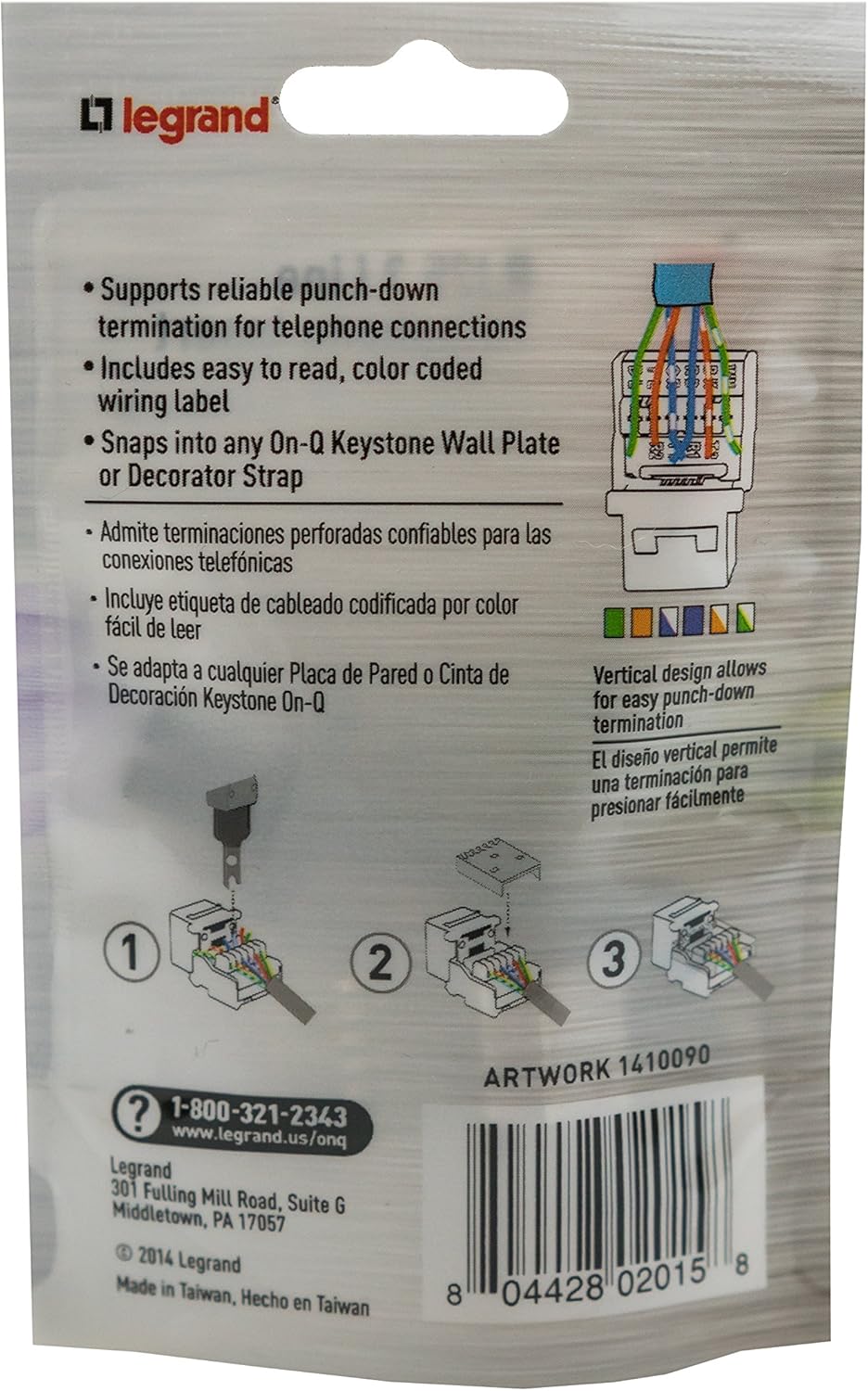
Figure 3: Back of the product packaging, illustrating the wiring diagram and punch-down steps. Note the color code for BLU/ORG/GRN pairs.
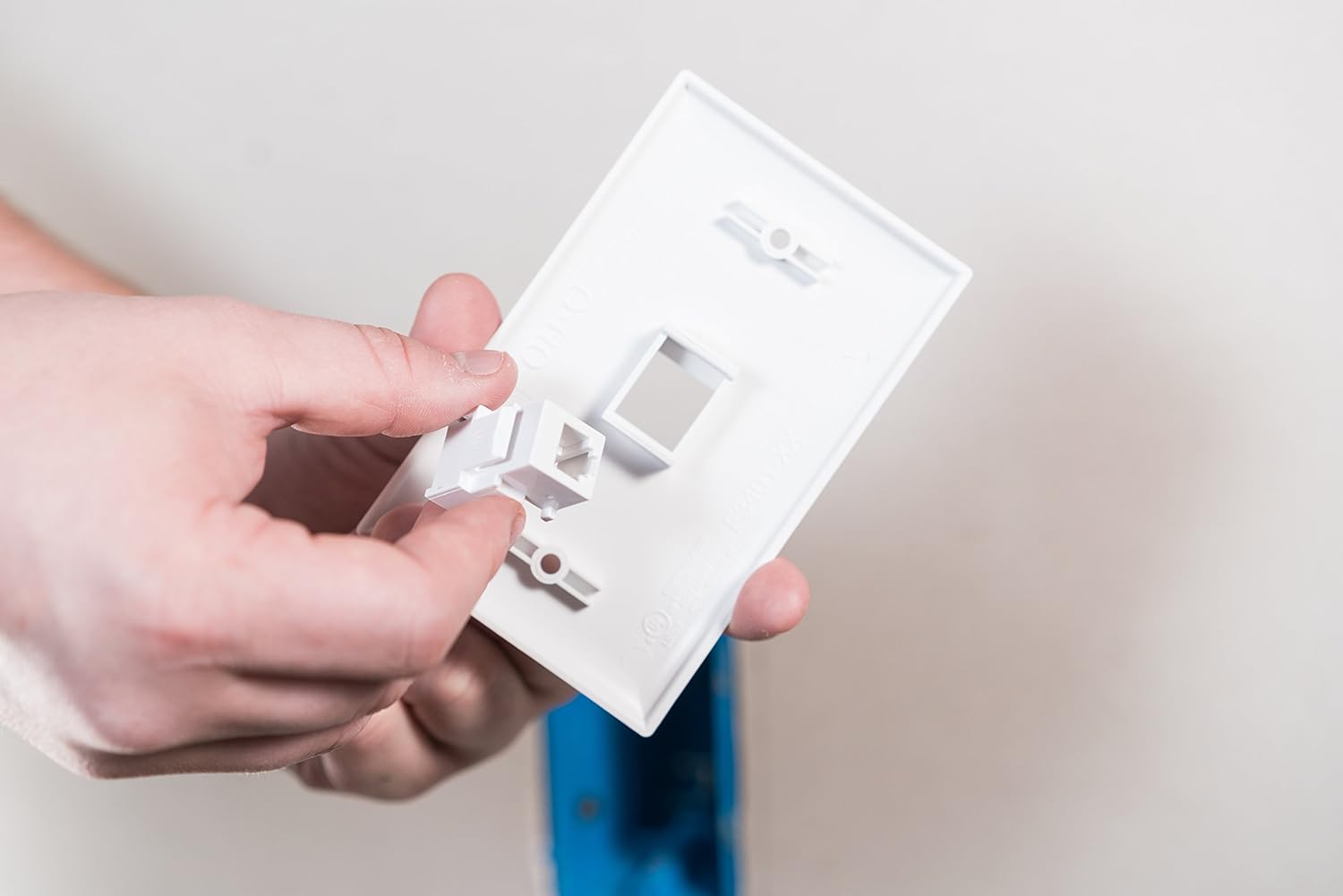
Figure 4: Inserting the keystone jack into a compatible wall plate opening.

Figure 5: Securing the wall plate to the wall using a screwdriver.
Bedryfsinstruksies
Once installed, the Legrand On-Q RJ25 Telephone Keystone Jack functions as a standard telephone outlet. Simply plug your telephone cable (with an RJ25 or RJ11 connector) into the front port of the keystone jack. The jack supports up to three telephone lines, depending on how it was wired during installation.
Onderhoud
The Legrand On-Q RJ25 Telephone Keystone Jack requires minimal maintenance. Keep the port free from dust and debris. If cleaning is necessary, use a soft, dry cloth. Avoid using liquid cleaners directly on the jack.
Probleemoplossing
- No Dial Tone or Connection:
- Verify that all wires are correctly punched down into their respective terminals according to the wiring diagram.
- Ensure the telephone cable connected to the jack is functional and properly seated.
- Check the main telephone line connection to your premises.
- Los verbinding:
- Ensure the keystone jack is fully snapped into the wall plate.
- Confirm the telephone cable is securely plugged into the jack.
Spesifikasies
| Handelsmerk | On-Q (Legrand) |
| Modelnommer | F9042WHV1 |
| Connector Tipe | RJ25 (6P6C) Keystone Jack |
| Kabel tipe | Telefoon |
| Ontwerp | Rear Mount, Snap-In Keystone |
| Maksimum Voltage | 48 Volt (DC) |
| Materiaal | Plastiek |
| Gebruik | Indoor Telephone Line Connections |
| UPC | 804428020158, 735090845353 |
Waarborg en Ondersteuning
For warranty information or technical support, please contact Legrand On-Q directly. You can find contact details on the product packaging or visit their official webwebwerf.
- Ondersteuningsfoon: 1-800-321-2343
- Webwebwerf: www.legarand.us/onq