
1. Inleiding
This manual provides essential instructions for the safe and efficient operation, setup, and maintenance of your Ohaus ES50R ES Industrial Bench Scale. The Ohaus ES50R is designed for industrial weighing applications, offering a capacity of 50 kg (110 lb) with a readability of 20 g (0.05 lb). Please read this manual thoroughly before using the scale to ensure proper functionality and to prevent damage.
2. Veiligheidsinligting
Neem altyd die volgende veiligheidsmaatreëls in ag:
- Do not overload the scale beyond its maximum capacity of 50 kg (110 lb).
- Ensure the scale is placed on a stable, level surface to achieve accurate readings.
- Operate the scale only with the specified 120 V power supply.
- Vermy die blootstelling van die skaal aan uiterste temperature, humiditeit of direkte sonlig.
- Moenie die skaal in water of ander vloeistowwe dompel nie.
- Keep the scale clean and free from dust and debris.
- Only qualified personnel should perform repairs or maintenance beyond routine cleaning.
3. Pakketinhoud
Verifieer dat alle komponente teenwoordig is tydens uitpak:
- Ohaus ES50R ES Industrial Bench Scale unit
- Power Adapter (for 120 V operation)
- Gebruikershandleiding (hierdie dokument)
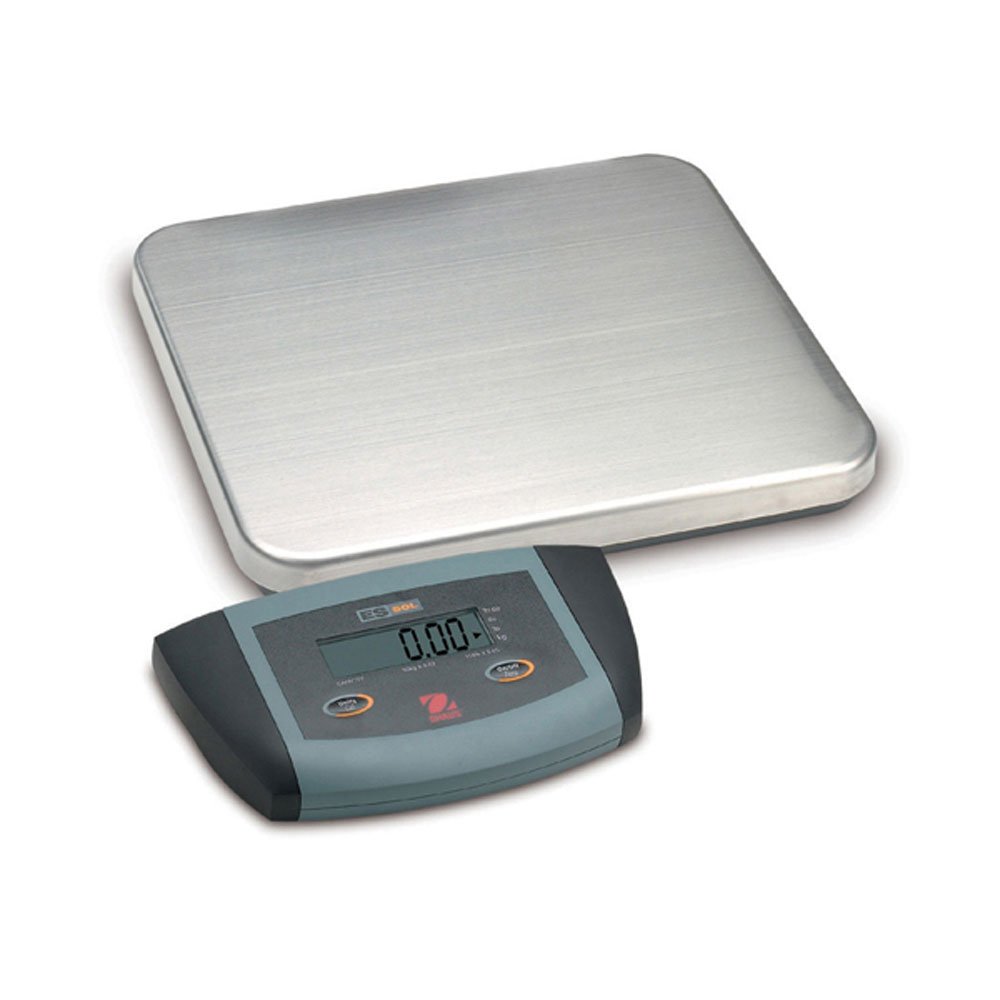
Figuur 1: Ohaus ES50R ES Industrial Bench Scale. This image shows the complete bench scale unit, including the weighing platform and the display unit.
4. Opstelling
- Uitpak: Verwyder alle komponente versigtig uit die verpakking. Bewaar die verpakking vir toekomstige vervoer of berging.
- Plasing: Place the scale on a firm, level, and stable surface, free from vibrations, drafts, and rapid temperature changes. Ensure adequate space around the scale for safe operation.
- Kragverbinding: Connect the power adapter to the scale's power input port. Plug the adapter into a standard 120 V AC power outlet.
- Aanvanklike krag aan: Druk die AAN/AF button to power on the scale. The display will perform a self-test and then show "0.00" or "0.0".
- Nivellering: If your scale includes adjustable feet, rotate them until the bubble in the spirit level (if present) is centered.
5. Bedryfsinstruksies
5.1 Basiese Weeg
- Ensure the scale is powered on and the display shows "0.00" or "0.0".
- Place the item to be weighed gently in the center of the weighing platform.
- Wait for the display to stabilize. The stable weight reading will be shown on the large LCD display.
- Remove the item from the platform. The display should return to zero.
5.2 Tarrafunksie
The tare function allows you to subtract the weight of a container, so only the net weight of the contents is displayed.
- Place an empty container on the weighing platform.
- Druk die tarra button. The display will reset to "0.00" or "0.0", indicating the container's weight has been tared.
- Voeg die materiaal wat geweeg moet word by die houer. Die skerm sal die netto gewig van die materiaal wys.
- To clear the tare, remove the container from the platform and press the tarra knoppie weer.
5.3 Spesiale kenmerke
- Outo-afskakel: The scale is equipped with an auto shut-off feature to conserve power. If no activity is detected for a set period, the scale will automatically turn off.
- Groot skerm: The LCD display provides clear and easy-to-read weight indications.
- Handmatige afskakeling: To manually turn off the scale, press and hold the AAN/AF knoppie totdat die skerm afskakel.
6. Onderhoud
6.1 Skoonmaak
To maintain accuracy and prolong the life of your scale:
- Disconnect the scale from the power supply before cleaning.
- Wipe the scale surfaces with a damp lap en 'n sagte skoonmaakmiddel.
- Moenie skuurmiddels, oplosmiddels of harde chemikalieë gebruik nie.
- Ensure no liquid enters the scale's internal components.
- Dry the scale thoroughly after cleaning.
6.2 Kalibrasie
Regular calibration ensures the accuracy of your scale. Refer to the full technical manual or contact Ohaus customer support for detailed calibration procedures. Calibration typically requires certified weights.
7. Probleemoplossing
| Probleem | Moontlike oorsaak | Oplossing |
|---|---|---|
| Skaal skakel nie aan nie. | No power supply; faulty power adapter. | Check power connection and outlet. Ensure power adapter is functioning correctly. |
| Onakkurate lesings. | Scale not level; unstable surface; overload; calibration required. | Ensure scale is level and on a stable surface. Do not exceed capacity. Perform calibration if necessary. |
| Display shows "Err" or error code. | Overload; internal malfunction. | Remove weight from platform. If error persists, power cycle the scale. If still present, contact customer support. |
| Auto shut-off too soon/not at all. | Auto shut-off settings. | Refer to the full technical manual for adjusting auto shut-off settings, if available. |
8. Spesifikasies
| Kenmerk | Detail |
|---|---|
| Model | ES50R |
| Handelsmerk | Ohaus |
| Kapasiteit | 50 kg / 110 lb |
| Leesbaarheid | 20 g / 0.05 lb |
| Tipe vertoon | LCD (Large Display) |
| Spesiale kenmerke | Auto Shut Off, Manual Shutdown |
| Vormfaktor | Bankskaal |
| Kragtoevoer | 120 V AC (via adapter) |
| Produk afmetings | 15 x 13 x 5.5 duim |
| Item gewig | 9.64 pond |
| Vervaardiger | COLE-PARMER |
9. Waarborg
The Ohaus ES50R ES Industrial Bench Scale comes with a 1 jaar waarborg from the date of purchase. This warranty covers defects in materials and workmanship under normal use. It does not cover damage resulting from misuse, accident, unauthorized modification, or operation outside the specified environmental and electrical limits. For warranty claims, please retain your proof of purchase and contact Ohaus customer support.
10. Kliëntediens
For technical assistance, service, or to inquire about replacement parts, please contact Ohaus customer support. Visit the official Ohaus website for the most up-to-date contact information and additional resources.
Let wel: Always provide your product model number (ES50R) and serial number (if applicable) when contacting support.